
CapCut Ban Alternative Android India 2026: 11 Safe, Watermark-Free AI Video Editors Under ₹500
Estimated reading time: ~9 minutes
Key Takeaways
- Reliable CapCut alternatives under ₹500 include VN, InShot, KineMaster, and PowerDirector with watermark-free exports.
- Safety matters: Prefer non-PRC ownership, data transparency, minimal permissions, and offline capability.
- For Indian creators, AI features like auto-captions (Hindi/Hinglish) and background removal are now standard.
- Workflows combining VN + InShot or KineMaster maximize speed, quality, and platform reach.
- To scale beyond mobile, consider Studio by TrueFan AI for enterprise-grade automation.
The landscape of digital storytelling in India has undergone a seismic shift. As we navigate the mid-2026 creator economy, the demand for high-quality, short-form content has never been higher. However, for many mobile creators, the CapCut ban alternative Android India 2026 remains a top search query. With CapCut still unavailable due to regulatory restrictions, Indian creators are seeking robust, non-PRC-owned tools that offer AI-driven features like auto-captions and background removal without breaking the bank. See our guide on CapCut alternatives for India 2025.
Platforms like Studio by TrueFan AI enable creators to bridge the gap between simple mobile edits and professional-grade AI video generation, but for those specifically looking for on-device Android editors under ₹500, the options have matured significantly.
1. The 2026 Landscape: Why Indian Creators are Moving Beyond CapCut
In 2026, India's creator economy is projected to reach a staggering $5.2 billion, driven largely by the explosion of 5G connectivity which now covers over 70% of the population. This infrastructure has led to a 300% increase in 4K video uploads from mobile devices. However, the "CapCut void" left a space that many apps have rushed to fill.
The primary challenge for an Indian creator isn't just finding an editor; it’s finding one that is "safe." In this context, safety refers to data sovereignty and non-PRC (People's Republic of China) ownership, aligning with local regulations. Furthermore, with social commerce expected to reach $2.9 trillion globally by the end of this year, the ability to produce watermark-free, professional Reels and Shorts is no longer a luxury—it’s a business necessity.
Recent data shows that 85% of Indian mobile creators now prioritize watermark-free exports and AI-assisted "Hinglish" captioning over traditional desktop-class color grading. This shift has birthed a new generation of "Smart Editors" that leverage local AI models to understand Indian accents and cultural nuances.
2. Safety First: Defining "Safe" and Non-PRC Editors in India
When searching for a safe video editing app India no Chinese, creators must look beyond the user interface. In 2026, safety is defined by four key pillars:
- Ownership Origin: Companies incorporated in regions like South Korea, Taiwan, the US, or Australia.
- Data Transparency: Clear privacy policies that explicitly state data is not shared with foreign state actors.
- Minimal Permissions: Apps that don't request access to your contacts or location unless strictly necessary for a feature.
- Offline Capability: The ability to edit without a mandatory cloud login, which keeps your raw footage on your device.
For instance, apps like VN (US-based) and KineMaster (South Korea) have become the gold standard for Indian creators because they respect these boundaries while providing high-end features.
3. Top 11 CapCut Alternatives Under ₹500 (Watermark-Free)
Here is the definitive list of editors for Android that provide a CapCut-like experience for under ₹500 per month.
1. VN Video Editor (Vlog Now)
- Origin: US / Cayman Islands (Ubiquiti Labs)
- Price: Free (Watermark-free)
- Best For: Professional-grade multi-track editing.
VN remains the king of free editors. It offers a "no-watermark" policy even on its free tier, making it the most popular choice for budget-conscious creators. Its beat-sync feature is a direct rival to CapCut’s "Auto-cut."
Source: TechCobber India
2. InShot
- Origin: InShot Inc. (Non-PRC)
- Price: ~₹199–₹299/month for Pro
- Best For: Fast Instagram Reels.
InShot’s AI auto-captioning has improved drastically in 2026, now supporting 12+ Indian regional languages with high accuracy.
3. KineMaster
- Origin: South Korea
- Price: ~₹499/month
- Best For: Advanced layering and Chroma Key.
If you need to remove backgrounds using a green screen, KineMaster’s engine is still the most stable on Android.
Source: GUDSHO Blog
4. PowerDirector
- Origin: Taiwan (CyberLink)
- Price: ~₹450/month
- Best For: AI Background Removal.
PowerDirector uses proprietary AI to remove backgrounds without a green screen, a feature that is remarkably smooth on mid-range Indian smartphones.
Source: CyberLink Blog
5. YouCut
- Origin: InShot Inc.
- Price: Free / Budget Pro
- Best For: Lightweight editing on older Android phones.
It’s the "lite" version of InShot, focusing on speed and low storage impact.
6. VITA
- Origin: South Korea (SNOW Corp)
- Price: Free
- Best For: Aesthetic templates and trending transitions.
VITA is often called the "Korean CapCut" because its template library is nearly identical in quality and style.
7. Splice
- Origin: Italy (Bending Spoons)
- Price: ~₹400/month
- Best For: High-end music integration and rhythmic editing.
8. ActionDirector
- Origin: Taiwan (CyberLink)
- Price: Free / Paid tiers
- Best For: Action footage and speed ramping (Slo-mo).
9. Adobe Premiere Rush
- Origin: US
- Price: Included in Creative Cloud or ~₹400 standalone
- Best For: Cross-platform syncing between mobile and PC.
10. LumaFusion (Android)
- Origin: US
- Price: One-time purchase (often on sale under ₹500)
- Best For: The closest experience to desktop editing on a tablet or high-end phone.
11. Studio by TrueFan AI
- Origin: India
- Price: Starter tiers available for scaling.
- Best For: Enterprise-level scaling and AI avatar generation.
While the other apps are for manual editing, Studio by TrueFan AI's 175+ language support and AI avatars allow creators to take a single video and localize it for every state in India instantly. Learn more about AI voice cloning for Indian accents.
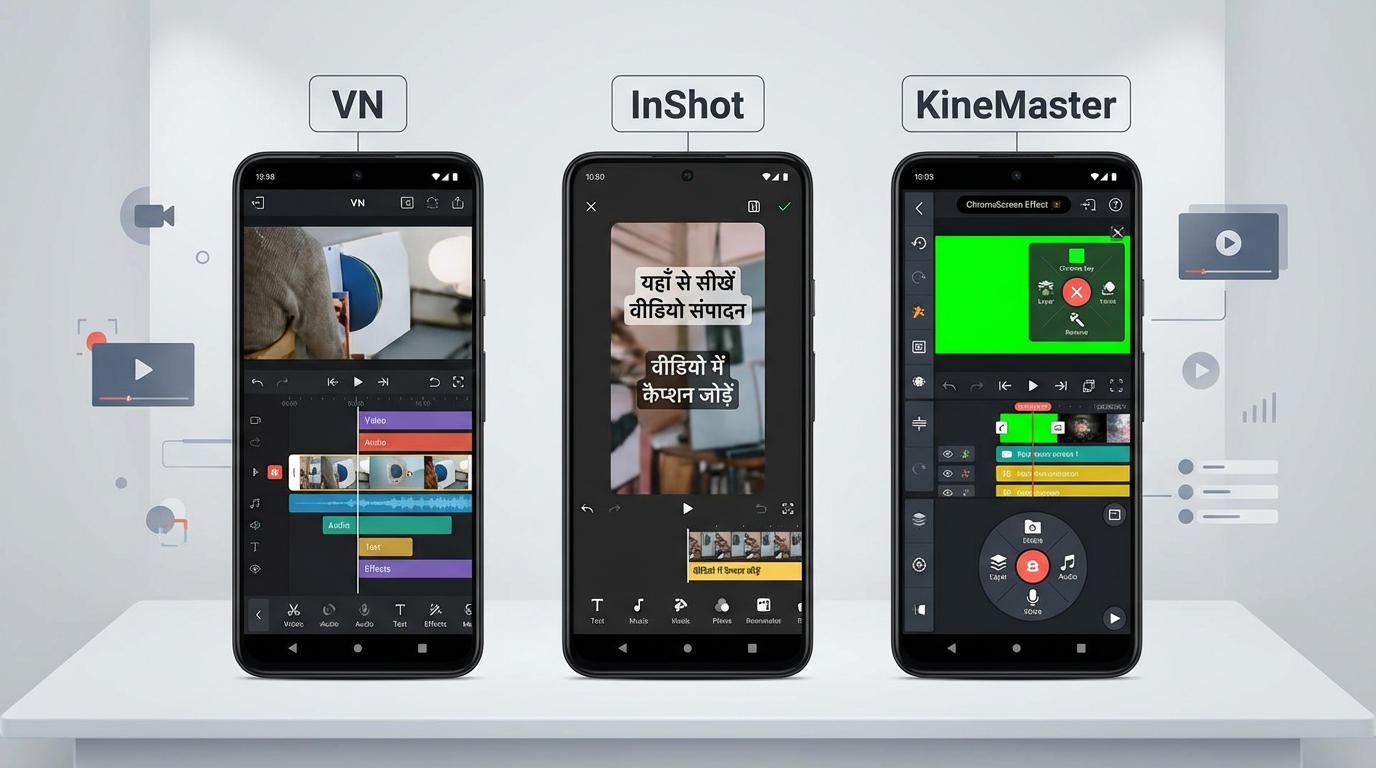
4. Deep Dive: VN vs. InShot vs. KineMaster (The 2026 Battle)
In 2026, the choice usually boils down to these three. Here is how they stack up for an Indian creator:
| Feature | VN Video Editor | InShot Pro | KineMaster |
|---|---|---|---|
| Price (India) | Free | ₹199 - ₹299/mo | ~₹499/mo |
| Watermark | None | None (Pro) | None (Premium) |
| AI Captions | Manual / External | Auto (Excellent Hindi) | Manual / Layered |
| BG Removal | Basic | AI-Powered | Chroma Key (Pro) |
| Learning Curve | Medium | Easy | Hard (Professional) |
| Ownership | US / International | Non-PRC | South Korea |
VN is the "Community Favorite." Its ability to import LUTs and export in 4K 60fps for free makes it unbeatable for YouTube Shorts creators who want a cinematic look.
InShot is the "Reels Specialist." Its vertical-first UI and one-tap AI transitions are designed for the 9:16 format. If you are a micro-influencer, the ₹199/month investment in InShot Pro pays for itself in time saved on captioning.
KineMaster remains the "Power User's Choice." It supports more video layers than any other Android app, allowing for complex storytelling and heavy VFX work.
5. Feature Parity: Achieving CapCut-Level AI on Android
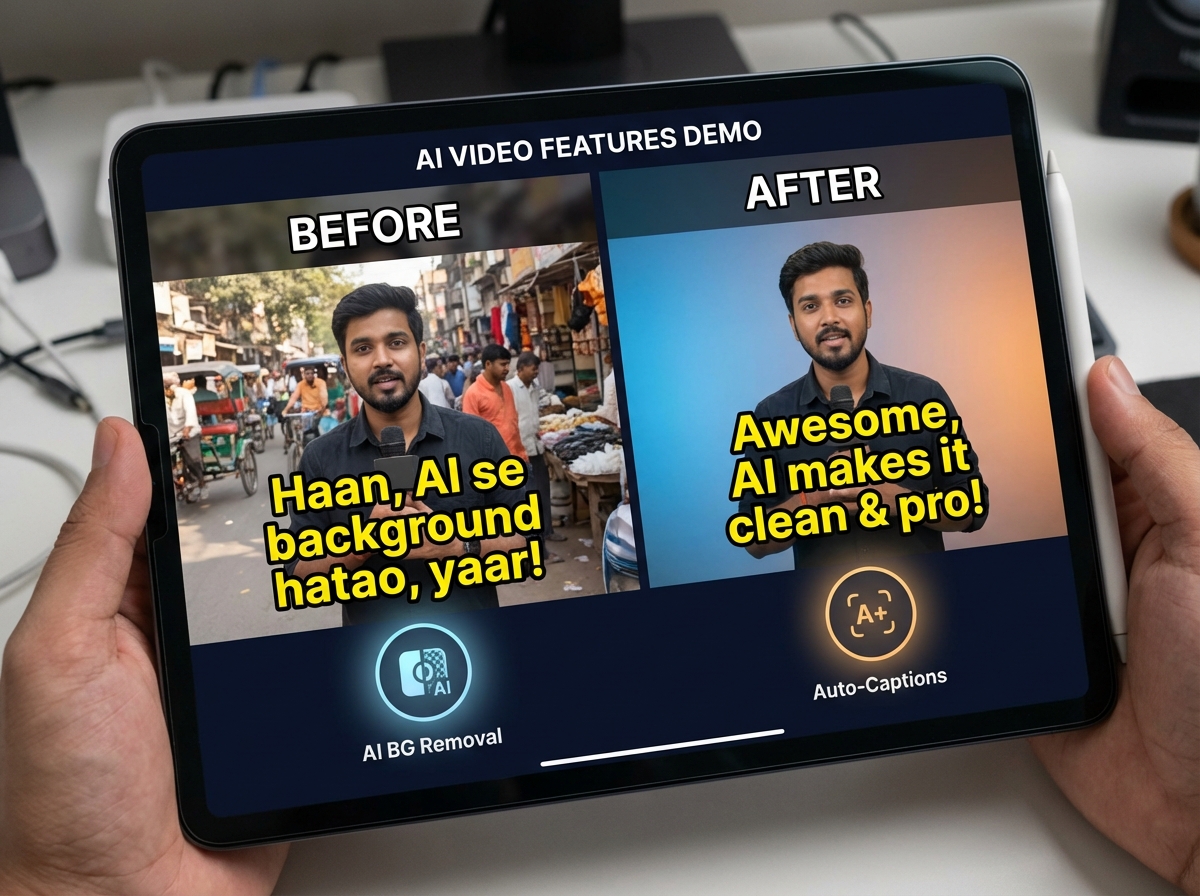
To truly replace CapCut, an app must master three specific AI features. In 2026, we tested these across the top alternatives:
Auto Caption Video Editor Android Hindi
Accuracy is the biggest hurdle. While CapCut was famous for its "Auto-captions," InShot Pro has now surpassed it for Indian dialects. It correctly identifies "Hinglish" (a mix of Hindi and English) and offers stylized presets that fit the "Alex Hormozi" style popular on Reels.
Pro Tip: If using VN, export your video and use a secondary tool like AutoCap or upload to YouTube as a private video to generate an SRT file. Dive deeper into voice cloning emotion control in India.
Background Removal Video App India
PowerDirector is the winner here. Their 2026 AI engine can isolate a subject from a busy Indian street background with 95% edge accuracy. This is crucial for creators who don't have a dedicated studio space.
AI Transitions Video Editor Mobile
VN’s "BeatSync" templates allow you to drop 20 clips into a project, and the AI will automatically trim them to the peaks of your music track. This mimics the "One-Tap" magic that made CapCut a viral sensation.
6. Workflow Blueprints for Reels and Shorts
To maximize your efficiency, follow these 2026-optimized workflows:
The "Viral Reel" Workflow (InShot + VN)
- Shoot in 1080p 60fps to allow for smooth slow-motion.
- Import to VN for the primary cut and "BeatSync" transitions.
- Export and Import to InShot Pro.
- Apply AI Auto-Captions in Hindi. Use the "Bold Outline" font style to ensure readability on small screens.
- Add Trending Audio directly within the Instagram app to boost algorithm reach.
The "High-Growth" YouTube Shorts Workflow (KineMaster)
Learn more in our guide to YouTube Shorts Automation AI.
- Set Project to 9:16.
- Use Multi-Layering to add B-roll over your main talking head footage.
- Apply Keyframe Animation to your text to keep the viewer's eye moving.
- Export at 12-15 Mbps bitrate to ensure YouTube doesn't compress your quality into "mush."
7. Scaling to Enterprise: When Mobile Apps Aren't Enough
For individual creators, the apps above are perfect. However, as your brand grows, manual editing becomes a bottleneck. Solutions like Studio by TrueFan AI demonstrate ROI through their ability to automate the production of thousands of personalized videos.
If you are an agency managing 50+ creators or a brand looking to scale regional marketing, mobile editors won't suffice. You need a platform that offers:
- ISO 27001 & SOC 2 Certification: Ensuring your brand data is safe.
- Licensed AI Avatars: Using real influencers' digital twins to deliver messages. Explore real-time interactive AI avatars in India.
- API Integration: To plug video generation directly into your CRM or WhatsApp marketing.
FAQ: Frequently Asked Questions
Q1: Which video editor under ₹500 is truly watermark-free in India?
A: VN Video Editor is completely free and watermark-free. InShot Pro and PowerDirector are watermark-free for under ₹500/month.
Q2: Is it safe to use a CapCut APK or VPN in India?
A: No. Using cracked APKs poses significant security risks, including malware and data theft. Using a VPN to access banned apps may also violate local terms of service and lead to account shadowbans.
Q3: How do I get Hindi auto-captions on Android?
A: InShot Pro is currently the best-integrated solution for Hindi and regional Indian languages. Alternatively, you can use YouTube’s auto-captioning tool and download the .srt file.
Q4: What is the best app for AI background removal without a green screen?
A: PowerDirector’s AI Background Removal tool is the most advanced for Android users in 2026, offering clean edges even in low-light conditions.
Q5: Can I use these apps for professional client work?
A: Yes. Solutions like Studio by TrueFan AI demonstrate ROI through professional-grade features and compliance standards that are suitable for high-end agency and brand collaborations.
Q6: Why is ownership origin important for Indian creators?
A: Due to ongoing regulatory scrutiny, using apps from non-PRC origins ensures your content pipeline remains compliant with Indian data laws and reduces the risk of sudden app bans.
Sources & Further Reading:
- TrueFan AI: Exploring CapCut alternatives for India
- Beatoven.ai: Top CapCut Alternatives for 2026
- Cyber Rafting: Understanding the India App Ban Context
- GUDSHO: Mobile Video Editing Trends for Creators
Recommended Internal Links
- Exploring the Best CapCut Alternatives in India 2025 for Content Creators — CapCut alternatives for India 2025
- Harnessing YouTube Shorts Automation AI: A Deep Dive into Scalable, AI-Driven Short-Form Video Creation — YouTube Shorts Automation AI
- AI Voice Cloning Indian Accents: Scale Multilingual Content with Authenticity — AI Voice Cloning Indian Accents
- Voice Cloning Emotion Control in India: 2026 Guide for Hindi, Tamil, and Regional Accents — Voice Cloning Emotion Control in India
- Real-time Interactive AI Avatars India: Live Video Chat — Real-time Interactive AI Avatars India
- The Ultimate Guide to the Best AI Voice Cloning Software of 2025 — Best AI Voice Cloning Software 2025
Conclusion
India’s creators have more safe, affordable, and watermark-free options than ever in 2026. VN, InShot, KineMaster, and PowerDirector deliver the core AI features—auto-captions, background removal, and seamless transitions—without compromising on data safety or cost. For teams and brands that need to scale beyond manual editing, Studio by TrueFan AI unlocks enterprise-grade automation, localization, and personalization across languages and regions.
Frequently Asked Questions
What is the best free, watermark-free CapCut alternative under ₹500?
VN Video Editor is fully free and watermark-free. InShot Pro and PowerDirector also offer watermark-free exports within the ₹199–₹450/month range.
Which app offers the most accurate Hindi/Hinglish auto-captions?
InShot Pro currently provides the most reliable Hindi/Hinglish auto-captions, with presets optimized for short-form content.
How can I remove backgrounds without a green screen on Android?
Use PowerDirector’s AI Background Removal. It delivers strong edge detection even on mid-range devices and challenging lighting.
Is it safe to use VPNs or APKs to access CapCut in India?
No. VPNs and cracked APKs carry security and compliance risks. Choose non-PRC editors with transparent data policies instead.
How do I scale content production beyond mobile apps?
Adopt platforms like Studio by TrueFan AI to automate multi-language videos, integrate via API, and manage enterprise-level workflows.



