
AI Video No Watermark Free Tools India 2026: The Ultimate Guide to Professional Exports
Estimated reading time: 9 minutes
Key Takeaways
- Most free AI video generators watermark in 2026—use AI-assisted editors and open-source NLEs for clean exports.
- Follow legal removal via official toggles and project settings; avoid third-party “removers.”
- Prioritize AV1/H.264 export recipes and platform-specific settings for crisp delivery in India.
- Mobile creators can rely on VN, CapCut Desktop (end-tag off), and desktop tools like DaVinci Resolve.
- Scale from free stacks to enterprise when you need automation, governance, and white-label 4K outputs.
In the rapidly evolving digital landscape of 2026, the demand for high-quality visual content has reached an all-time high. For Indian creators, freelancers, and small agencies, finding AI video no watermark free tools India 2026 is no longer just a luxury—it is a business necessity. As the Indian creator economy is projected to contribute over $3.5 billion to the GDP by the end of 2026, the ability to produce clean, professional, and client-ready video without the clutter of restrictive branding is the ultimate competitive advantage.
However, the “free” landscape has shifted. In 2026, most pure AI generators have moved toward aggressive watermarking on free tiers to protect their compute costs. The legitimate path to a free AI video no watermark export now requires a strategic combination of AI-assisted editors and open-source powerhouses. Whether you are producing Instagram Reels for a local brand in Mumbai or high-end explainers for a tech startup in Bangalore, mastering the workflow of client-ready video free tools India is essential for scaling without overhead.
2. Legal Framework: How to Remove AI Watermark Legally
A common pitfall for creators is the use of third-party “watermark removers.” In 2026, AI-driven forensic watermarking has made it nearly impossible to strip logos without degrading video quality or violating Intellectual Property (IP) laws. To remove AI watermark legally, you must follow official protocols provided by the platforms themselves.
Defining Legal Removal
Legal removal explicitly excludes “stripping” tools. Instead, it refers to:
- Official Toggles: Using the “Remove End-Tag” feature found in the settings of tools like CapCut or VN.
- Project Configurations: Selecting templates specifically designated for commercial or “no-brand” use.
- Clean Exports: Utilizing open-source NLEs (Non-Linear Editors) that do not impose watermarks by design.
Ethical and Enterprise-Grade Perspectives
For agencies, the risk of using illicitly “cleaned” video is too high. Enterprise-grade infrastructure, such as that offered by TrueFan AI, emphasizes content moderation and licensed assets. Aligning with a consent-first, safety-first process ensures that your professional video output free AI India remains compliant with evolving Indian digital laws.
Practical Legal Tips for 2026:
- Avoid “Remover” Sites: These often inject malware or violate the Terms of Service (ToS) of the original AI generator.
- Check Template Toggles: Many mobile editors add a 2-second “outro” with their logo. This can almost always be deleted manually on the timeline before exporting.
- Source Licensed Assets: Ensure any AI-generated music or b-roll is cleared for commercial use to avoid copyright strikes, which are more strictly enforced in 2026.
Source: TrueFan AI - AI Video Moderation Guide
3. Best Free Video Editor No Watermark India: The 2026 Shortlist
When searching for the best free video editor no watermark India, the focus must be on tools that offer 1080p export, stable performance on mid-range hardware, and support for modern codecs. Here are the top contenders for 2026:
DaVinci Resolve (Free Version)
Still the king of professional editing, the free version of DaVinci Resolve remains watermark-free for almost all standard 1080p and 4K exports.
- Pros: Advanced color grading, Fairlight audio, and Fusion VFX.
- 2026 Update: Improved AV1 export support and AI-driven “Magic Mask” features are now more optimized for Indian PCs with integrated graphics.
- Best For: High-end client projects and YouTube masters.
Shotcut & Kdenlive (Open Source)
These tools are the backbone of the “free software” movement. They are entirely watermark-free by design.
- Shotcut: Offers full CRF (Constant Rate Factor) control, allowing for precise video compression quality optimization.
- Kdenlive: Excellent for multilingual workflows, making it a favorite for regional Indian content creators needing complex subtitle layers.
VN Video Editor
For mobile-first creators in India, VN remains the most reliable budget video editing no watermark solution.
- Key Feature: Unlike other mobile apps, VN does not force a watermark on the final export, even on the free tier.
- 2026 Trend: It now includes AI-powered “Smart Captions” for Hindi, Tamil, and Telugu.
CapCut Desktop
While the mobile version often requires careful “outro” deletion, the CapCut Desktop version has become a powerhouse for client-ready video free tools India.
- Note: Always ensure the “End-tag” is disabled in the project settings.
- AI Integration: Studio by TrueFan AI’s 175+ language support and AI avatars can be combined with CapCut’s editing flexibility to create world-class localized campaigns.
4. Watermark-Free Video Generators Comparison & HD Export Recipes
Choosing between an “AI Generator” and an “AI-Assisted Editor” is crucial. Most pure generators (Text-to-Video) will watermark their free tiers. The table below compares the 2026 landscape for HD video export free AI generators 2026 and editors.
AI Video Export Quality Comparison (2026)
| Tool | Watermark Policy (Free) | Max Resolution | Codec Support | Best Use Case |
|---|---|---|---|---|
| DaVinci Resolve | No Watermark | 4K (UHD) | H.264, H.265, AV1 | Professional Masters |
| VN Editor | No Watermark | 4K | H.264 | Instagram Reels |
| CapCut Desktop | No (if toggled off) | 4K | H.264, H.265 | Viral Social Content |
| Shotcut | No Watermark | 1080p/4K | All (FFmpeg) | Precise Compression |
| Clipchamp | No Watermark | 1080p | H.264 | Quick Business Edits |
1080p Export Recipes for Indian Platforms
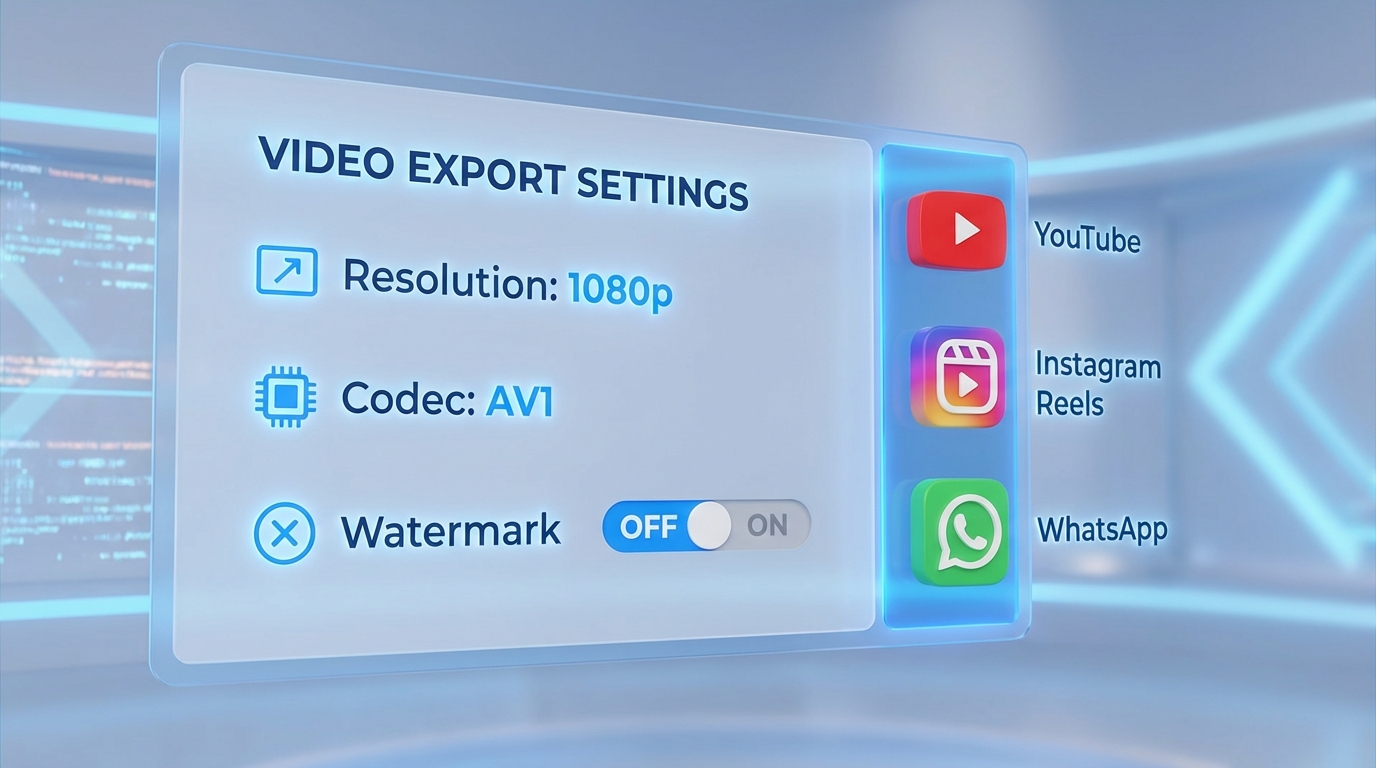
To ensure high quality video export free tools, use these specific “recipes” in your export settings:
The “Universal Master” (Mezzanine) Settings
- Container: MP4
- Codec: H.264 (High Profile, Level 4.2)
- Bitrate: VBR 12–16 Mbps (for 30fps)
- Keyframe Interval: 2 seconds
- Audio: AAC, 48 kHz, 320 kbps
Instagram Reels (9:16 Optimization)
- Resolution: 1080x1920
- Frame Rate: 30 fps (Constant)
- Bitrate: 12 Mbps (CBR preferred for stability)
- Tip: Avoid heavy sharpening; Instagram’s compression algorithm in 2026 reacts poorly to over-processed AI footage.
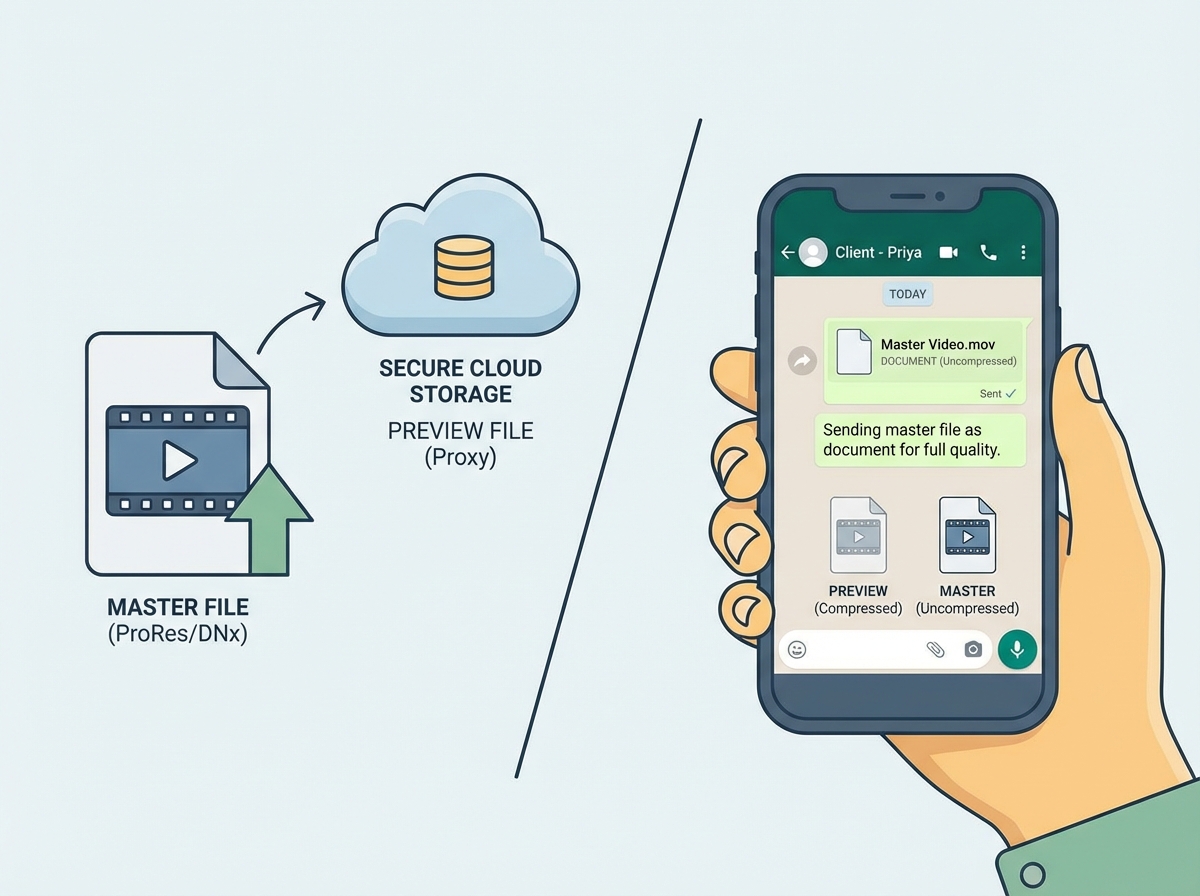
WhatsApp Delivery (The “Document” Method)
In India, WhatsApp is the primary tool for client approvals. However, standard sharing crushes quality.
- Method: Export as H.264 (8–10 Mbps).
- Action: Send as a “Document” rather than “Gallery” to bypass compression.
Source: Beebom - Sending Media Without Compression
5. Video Compression Quality Optimization for India Delivery
In 2026, Indian creators must balance visual fidelity with file size. With 40% of Indian SMBs now using AI video for local marketing, the ability to deliver a “light” but “sharp” file is a professional necessity. Solutions like Studio by TrueFan AI demonstrate ROI through efficient delivery systems that don’t sacrifice quality for speed.
Choosing the Right Codec
- H.264 (x264): The most compatible. Use CRF 18–20 for a “visually lossless” master.
- H.265 (HEVC): 40% smaller than H.264. Ideal for sending long-form 1080p drafts to clients over mobile data.
- AV1: The future of Indian streaming. Use CQ (Constant Quality) 18–22. It provides the best quality-per-bit, making it perfect for YouTube uploads where you want to trigger the high-quality VP9/AV1 transcode.
Bandwidth Realities in 2026
While 5G is widespread, “throttling” and data caps still exist. Always provide two versions to your clients:
- The Master: High bitrate (20 Mbps+), sent via Google Drive.
- The Preview: WhatsApp-optimized (under 100MB), sent as a Document.
Quality Tip: Always normalize your audio to -16 LUFS. In 2026, social media algorithms prioritize videos with consistent, clear audio levels, especially for AI-generated voiceovers.
6. Client-Ready Packaging: The Professional Workflow
Using free tools professional output India requires more than just a clean export; it requires professional presentation. If you are a freelancer in 2026, your “packaging” is what allows you to charge premium rates despite using a free stack.
The Professional QA Checklist
Before sending any client-ready video free tools India export, run this 5-point check:
- Watermark Check: Scrub the last 5 seconds to ensure no “Made with...” end-cards appeared.
- Sync Check: Ensure AI-generated lip-sync hasn’t drifted (a common issue in 2026 browser-based tools).
- Safe Margins: Ensure captions aren’t cut off by the Instagram “Like” or “Comment” buttons.
- Naming Convention: Use
ClientName_Project_V1_1080p_Date.mp4. - Regional Accuracy: If using AI for Indian languages, double-check the script with a native speaker to avoid “AI-isms” or formal-sounding translations that don’t fit the brand voice.
When to Graduate to Enterprise Solutions
While free tools are excellent for growth, agencies managing 50+ videos a month often hit a ceiling. This is where you transition from “Free Stacks” to “Automated Stacks.”
- Upgrade Triggers: Need for 4K white-label outputs, API-driven batch creation, or ISO-certified content moderation.
- The Enterprise Edge: Tools like TrueFan AI provide the governance and scale that free tools lack, particularly for IPL-scale marketing campaigns or multi-location video automation.
Source: TrueFan AI - Batch Video Creation Automation
7. FAQs & 2026 Buyer’s Guide
2026 Buyer’s Guide: Stay Free or Go Pro?
- Choose Free Tools If: You are a solo creator, managing 1–5 clients, and primarily producing 1080p content for social media.
- Choose Enterprise (TrueFan AI) If: You are an agency or brand needing 4K white-label outputs, WhatsApp Business API integration, or automated personalization for thousands of customers simultaneously (IPL marketing 2026 guide).
Summary of 2026 Export Standards
| Platform | Resolution | Codec | Bitrate |
|---|---|---|---|
| YouTube | 1080p/4K | AV1 / H.264 | 16–24 Mbps |
| 1080x1920 | H.264 | 12 Mbps | |
| 1080p | H.264 | 10 Mbps | |
| 1080p | H.264 | 8 Mbps (Document) |
By mastering these AI video no watermark free tools India 2026, you can build a professional portfolio that rivals high-budget agencies. The key is not just the tool you use, but the technical precision of your export and the legality of your workflow.
Sources:
- Beebom: AV1 Codec Explained & Platform Support (2026 Update)
- TrueFan AI: Video Personalization ROI & Metrics - Link
- Gadgets by Beebom: Best Video Editing Apps for Android and iPhone (2026 Guide)
- TrueFan AI: Multi-location Video Automation Tools - Link
- TrueFan AI: AI Video for IPL Marketing 2026 - Link
Conclusion
Watermark-free, professional exports in 2026 are achievable with a smart blend of AI-assisted editors and open-source tools, platform-legal settings, and India-optimized export recipes. As you scale, consider enterprise solutions to automate, govern, and deliver consistent quality at volume.
Frequently Asked Questions
How do I remove an AI watermark legally in 2026?
You should only remove watermarks through official platform settings, such as disabling “end-tags” in editors like CapCut or VN, or by using open-source tools like DaVinci Resolve that do not add them. Platforms like Studio by TrueFan AI enable users to generate clean, professional content through official, compliant channels, ensuring your brand stays safe from copyright issues.
Which free AI video tools export 1080p without a watermark?
For 2026, the most reliable tools are DaVinci Resolve (Desktop), Shotcut (Open Source), VN Video Editor (Mobile), and CapCut Desktop (when the end-tag is manually removed). Microsoft Clipchamp also offers 1080p watermark-free exports for basic needs.
Is it safe to use online “AI Watermark Removers”?
No. These tools often use “smudge” algorithms that ruin video clarity and can lead to legal repercussions if the original content creator’s IP is protected by forensic watermarking. Always stick to AI video watermark removal tools India 2026 that are built into the official editing software.
What is the best export setting for WhatsApp in India?
To maintain quality, export at 1080p H.264 with a bitrate of 8–10 Mbps and send the file as a “Document.” This prevents WhatsApp from applying its own aggressive compression.
Can I get 4K exports for free without a watermark?
Yes, DaVinci Resolve and VN Editor both allow for 4K exports on their free tiers without adding a watermark. However, ensure your hardware can handle the render times associated with 4K AI-enhanced footage.



