
AI background removal tools India 2026: Free, mobile-first green screen alternatives for Reels and Shorts
Key Takeaways
- In 2026, AI segmentation replaces bulky green screens for mobile-first creators across India.
- CapCut, Instagram’s native tools, and Canva lead as the most accessible mobile background removers.
- Choose between AI background replacement, background blur, and chroma key based on quality needs and device power.
- Studio by TrueFan AI helps brands standardize outputs at scale with compliant, on-brand virtual sets.
- Future trends: on-device 4K segmentation, transparent background exports, and offline AI for India’s next billion users.
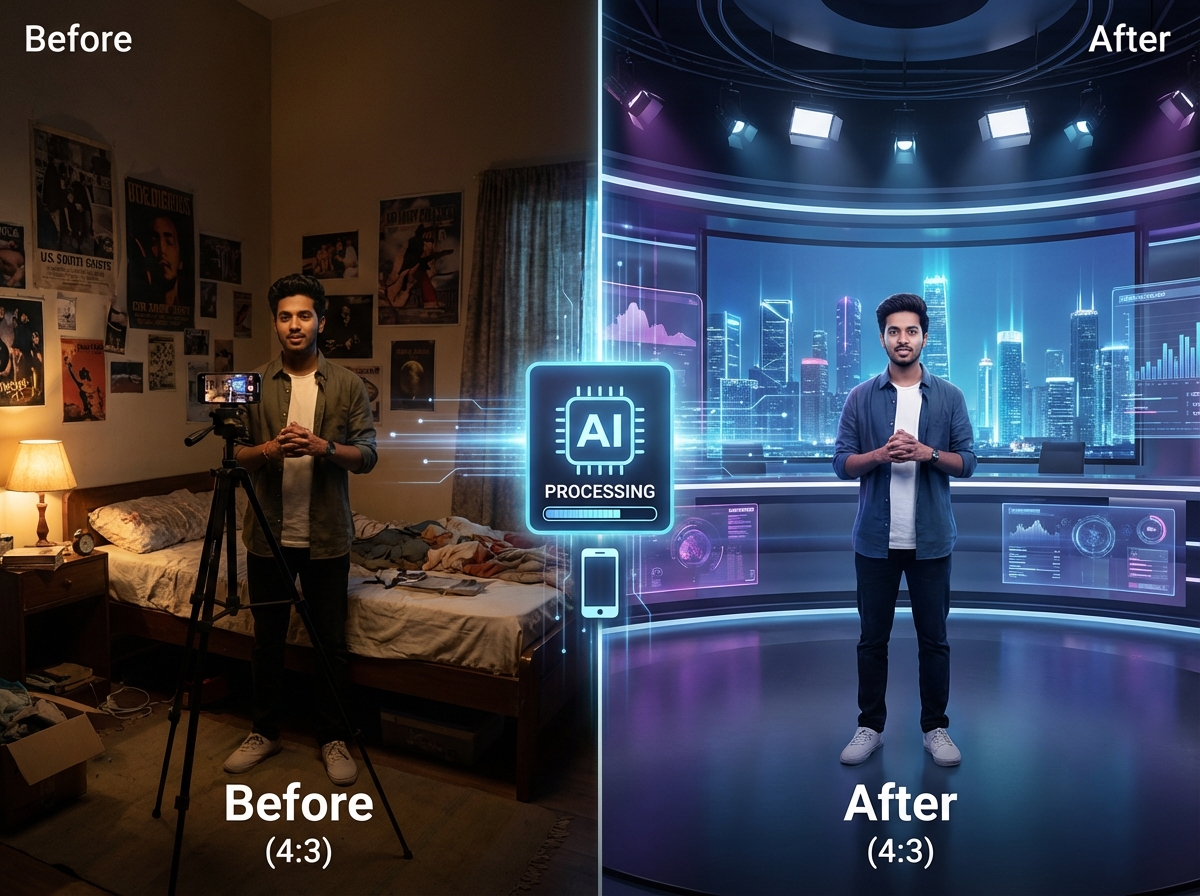
The landscape of content creation in India has undergone a seismic shift. As we navigate through 2026, the era of bulky green screen setups and expensive studio lighting is rapidly fading into the background. For the millions of creators across Tier 2 and Tier 3 cities, the priority has shifted toward speed, mobility, and cost-efficiency. Utilizing AI background removal tools India 2026 is no longer a luxury for high-end editors; it is a fundamental necessity for anyone looking to dominate Instagram Reels and YouTube Shorts (YouTube Shorts automation with AI).
In this comprehensive guide, we will explore how you can remove video background without green screen using the latest AI-driven technologies. Whether you are a solo creator on a budget or a brand looking to scale, this roadmap will help you identify the best background remover app mobile India has to offer, ensuring your content looks professional regardless of your physical surroundings.
1. The 2026 Shift: Why Indian Creators are Ditching Physical Green Screens
In early 2024, a physical green screen was a staple for any aspiring “pro” creator. Fast forward to 2026, and the Indian creator economy—now valued at a staggering $3.8 billion—has largely moved to AI-driven segmentation. The reasons are practical and deeply rooted in the Indian context.
The Death of the “Chroma Key” Setup
Traditional chroma keying requires three things that many Indian creators lack: space, controlled lighting, and a perfectly ironed green cloth. In the cramped apartments of Mumbai or the shared rooms of student hostels in Bengaluru, setting up a 6x9 feet green screen is often impossible. Furthermore, the heat of professional studio lights is a significant deterrent in India's climate.
The Rise of NPU-Driven Editing
By 2026, mid-range smartphones from brands like Redmi, Realme, and Samsung (M-series) come equipped with dedicated Neural Processing Units (NPUs). These chips allow for real-time AI segmentation that is 4x faster than models from just three years ago. According to recent 2026 industry data, over 82% of mobile-first creators in India have completely replaced physical green screens with AI software solutions.
Vernacular and Regional Relevance
The shift isn’t just technical; it’s cultural. Creators in regional markets (multilingual voice commerce platform) are using AI background changer for Reels India tools to transport themselves from a simple bedroom to culturally relevant virtual sets—be it a high-tech newsroom for a Tamil tech reviewer or a vibrant festive backdrop for a Marathi lifestyle influencer.
Source: The Tribune India: Guide on AI background/object remover tools.
2. Technical Breakdown: AI Segmentation vs. Background Blur vs. Chroma Key
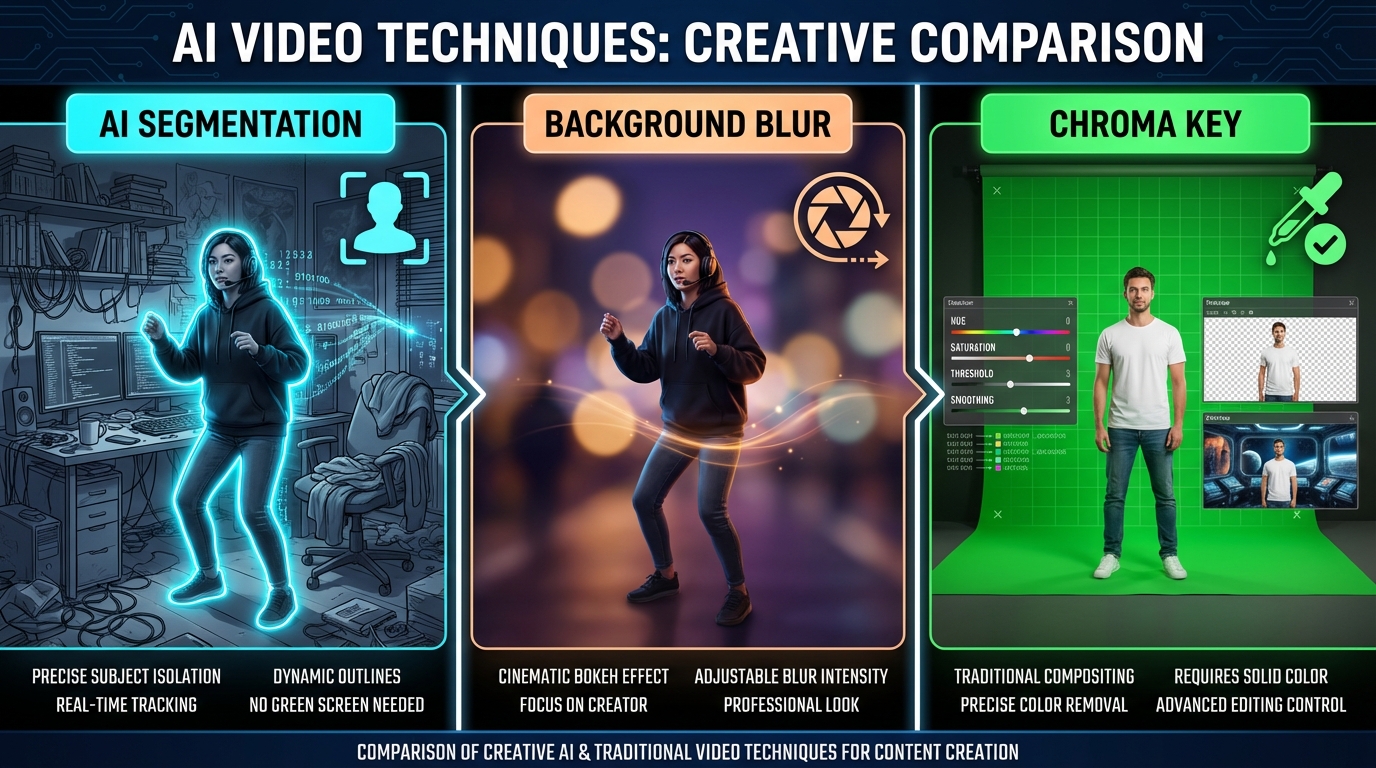
Understanding the “how” behind the magic is essential for choosing the right tool for your workflow. In 2026, we categorize background manipulation into three distinct AI-driven methods.
AI Segmentation (The Modern Standard)
This is a model-driven approach where the AI predicts a “matte” or an alpha mask for the subject. Unlike the old days, modern AI segmentation in 2026 can distinguish individual strands of hair and the subtle gaps between fingers. This allows you to remove video background without green screen in almost any lighting condition, provided there is some contrast between you and the wall behind you.
Background Blur (The “Portrait Mode” for Video)
Sometimes, a full background replacement looks “fake” or “floaty.” This is where background blur video AI tools come in. Instead of removing the background, the AI calculates depth and applies a Gaussian or ML-based blur. This is ideal for creators in busy environments who want to maintain a sense of place while keeping the focus on themselves. It is faster to render and much more forgiving on lower-end devices.
Chroma Key (The Legacy Backup)
While AI is dominant, the traditional chroma key still has its place for long-form, talking-head content where edge perfection is non-negotiable. If you have a green bedsheet and a steady light source, tools like KineMaster still offer the best “fine-tune” controls for edge feathering and spill suppression.
Key 2026 Statistic: 70% of new internet users in India now prefer content in regional languages, and AI background tools are being used to “localize” the visual feel of videos without re-shooting.
3. Best Background Remover App Mobile India (2026 Shortlist)
Choosing the right app depends on your phone's processing power and your specific needs. Here is the curated shortlist for the Indian market in 2026.
CapCut (Mobile) – The All-Rounder
CapCut (YouTube Shorts editor for Android in India) remains the gold standard for Indian Reels creators. Its “Auto Cutout” feature has been optimized for the 2026 generation of Indian smartphones.
- Best for: Fast Reels compositing and trending templates.
- Pros: Native 9:16 support, excellent edge detection, and a massive library of virtual backgrounds.
- Cons: High-resolution exports can be taxing on older 4G/5G budget phones.
Instagram Native (Green Screen & Cutout)
Instagram has integrated its own “Subject Cutout” feature directly into the Reels camera.
- Best for: Totally free, zero-friction creation.
- Pros: No need to export/import; uses Instagram's own AR engine.
- Cons: Limited fine-tuning; edge quality can jitter in low light.
Canva (Mobile) – The Brand Builder
Canva’s video background remover is now a powerhouse for small business owners in India.
- Best for: Professional-looking brand promos and “talking head” ads.
- Pros: Easy integration with brand logos and templates.
- Cons: Video background removal is typically gated behind the Canva Pro subscription (priced in INR).
Unscreen / Media.io (Mobile Web)
If you don't want to install heavy apps, these web-based tools are excellent fallbacks.
- Best for: Quick, short clips (under 30 seconds).
- Pros: Works in-browser; no app installation required.
- Cons: Heavy data usage; free tiers often include watermarks.
Source: Beebom: CapCut background removal feature overview.
4. Step-by-Step: Removing Video Background Without a Green Screen
Let’s look at the two most popular workflows used by Indian creators today.
Workflow A: CapCut (The Professional Mobile Route)
- Import: Open CapCut and import your 9:16 vertical clip.
- Select Cutout: Tap on the video layer and select the “Cutout” (or “Remove Background”) tool.
- Refine: Use the “Stroke” or “Feather” options to smooth out the edges around your hair.
- Add Background: Go to the “Canvas” tab and select “Background.” You can upload your own image or choose from CapCut's 2026 trending library.
- Color Match: Use the “Adjust” tool to match your skin tone's lighting to the new background. This is the secret to making it look real.
- Export: Export at 1080p, 30fps for the best balance of quality and file size.
Workflow B: Instagram Reels (The Native AI Route)
- Open Reels: Swipe right to the Reels (shoppable video ads for Instagram Reels) camera.
- Effects: Tap the “Effects” (stars) icon and search for “Green Screen” or “Cutout.”
- Add Media: Select the background image/video from your gallery.
- Record: Position yourself in the frame. The AI will automatically extract you and place you over the background.
- Lighting Tip: Place a small ₹600 LED ring light or even a desk lamp in front of you. This helps the AI distinguish your silhouette from the wall, reducing “edge flickering.”
Source: Beebom: Instagram “Edits” app hands-on with subject cutout + green screen.
5. Comparison Table: AI Background Replacement Tools (2026 Edition)
| Tool | Edge Quality | Processing Speed | Free Tier Limits | Best For | INR Pricing (Pro) |
|---|---|---|---|---|---|
| CapCut | Excellent | Very Fast (On-device) | Watermark at end | Trending Reels | Free / ~₹800/mo |
| Good | Instant | None | Quick Trends | Free | |
| Canva | Professional | Medium (Cloud) | Pro only feature | Brand Content | ~₹499/mo |
| KineMaster | Manual | Fast | Watermark | Long Tutorials | ~₹600/mo |
| Unscreen | Fair | Slow (Data heavy) | 5-sec clips | Web-only users | Pay-per-clip |
Data Point: In 2026, cloud-based AI tools have become 35% more data-efficient, allowing creators in Tier 3 cities with patchy 5G to use professional tools without exhausting their daily data limits.
6. Enterprise Scaling: Standardizing Brand Content with Studio by TrueFan AI
While individual creators can manage with mobile apps, brands, agencies, and MCNs (Multi-Channel Networks) face a different challenge: consistency. When you have 500 different influencers creating content for one campaign, the backgrounds are often messy, off-brand, or poorly executed.
Platforms like Studio by TrueFan AI enable brands to bypass these logistical nightmares. Instead of asking creators to set up green screens, brands can provide a centralized, brand-safe virtual environment. Creators simply upload their raw clips, and the system standardizes the output.
Studio by TrueFan AI's 175+ language support and AI avatars (real-time interactive AI avatars in India) further simplify the process for the Indian market. A brand can take a single 30-second clip of a spokesperson and generate 20 different versions in Hindi, Tamil, Telugu, and Bengali, each with a perfectly synced virtual background that matches the brand’s aesthetic.
For marketing managers, solutions like Studio by TrueFan AI demonstrate ROI through a massive reduction in production time. What used to take a week of back-and-forth with editors can now be done in minutes. Furthermore, the platform ensures ISO 27001 and SOC 2 compliance, which is critical for enterprise-grade security in 2026.
Source: TrueFan AI: Enterprise-grade performance and scalability.
7. Future Outlook: The Next Wave of AI Video in India
As we look toward the end of 2026 and into 2027, the technology will only become more invisible. We are already seeing the emergence of “Generative Backgrounds,” where you don’t just pick a photo, but describe a scene (e.g., “A futuristic Mumbai cafe at sunset”) and the AI generates it in real-time.
On-Device Evolution
The next generation of budget processors will likely handle 4K AI segmentation natively. This means the “halo effect” often seen around hair in 2024 will be a thing of the past.
The “Transparent Video” Breakthrough
While currently difficult on mobile, we expect a transparent background video maker India solution to become mainstream by 2027. This will allow creators to export themselves as “stickers” that can be layered over any video without needing to re-render the entire project.
Data-Saving and Offline AI
For the “Next Billion Users” in India, offline AI models are the next frontier. Imagine being able to remove a video background in a remote village in Himachal Pradesh without a single bar of internet. That is the direction the industry is heading.
Conclusion
The availability of AI background removal tools India 2026 has democratized professional video production. No longer restricted by the walls of a physical studio, Indian creators are now free to tell stories from any virtual location they can imagine. Whether you are using a free app like CapCut for your daily Reels or leveraging the enterprise power of Studio by TrueFan AI to scale a brand, the barrier to entry has never been lower. Start experimenting with these tools today and watch your engagement soar as you remove video background without green screen and embrace the future of mobile-first content.
Frequently Asked Questions
Which is the best background remover app on mobile in India for Reels?
For most creators, CapCut is the best choice due to its balance of speed and edge quality. However, if you want a zero-cost, zero-effort solution, the native Instagram Reels Green Screen effect is the most accessible.
How do I remove background on Instagram Reels with AI?
Open the Reels camera, tap “Effects,” and search for “Green Screen.” You can then choose any photo or video from your gallery to serve as your new background. The AI handles the subject extraction automatically.
Is there a transparent background video maker on mobile in India?
Currently, most mobile apps (like CapCut or Canva) export in MP4 format, which does not support transparency (alpha channels). The workaround is to export your video with a solid green background and then use a “Chroma Key” tool in your final editing software to make it transparent.
What are low-cost green screen alternatives in India?
If AI segmentation isn’t giving you the clean look you need, the best low-cost alternative is a matte green bedsheet (approx. ₹300–₹500 on Amazon/Flipkart) and two LED batten lights. Use KineMaster to key out the color.
Can I use AI background removal for professional business videos?
Yes. Studio by TrueFan AI's 175+ language support and AI avatars make it a premier choice for businesses, enabling brand-consistent video production at a fraction of traditional costs.
Does AI background removal work in low light?
AI segmentation struggles in low light because it cannot easily distinguish the subject from shadows. For the best results, ensure your face is well-lit, even if the background is dark.



