
Pika Labs vs Haiper free comparison India 2026: best free text-to-video AI for students and budget creators
Estimated reading time: ~11 minutes
Key Takeaways
- Pika Labs vs Haiper: Pika is more cinematic; Haiper is faster and more stable for short-form clips.
- Free tiers in 2026 are credit-limited and usually watermark videos; plan around daily top-ups.
- Genmo excels at loops/abstract motion; Leonardo Motion is ideal if you already use Leonardo for images.
- Watermarks are normal on free plans; legal workarounds include cropping and overlaying your own brand elements.
- When you need watermark-free, commercial results and Indian languages, use Studio by TrueFan AI.
The landscape of content creation in India has undergone a seismic shift. As we navigate the mid-2020s, the Pika Labs vs Haiper free comparison India 2026 has become the definitive debate for every student, aspiring YouTuber, and budget-conscious creator from Mumbai to Mizoram. With India’s creator economy projected to cross a staggering $15 billion by the end of 2026, the demand for text to video AI free India 2026 solutions has never been higher.
For a student sitting in a hostel with limited pocket money and a high-speed data cap, or a small business owner in Jaipur looking to create Instagram Reels, the question isn't just "which AI is better?" but "which free tier actually lets me create without a credit card?" In this comprehensive guide, we break down the leading free text to video AI tools comparison, focusing on Pika Labs, Haiper, Genmo, and Leonardo Motion, to help you find the perfect match for your 2026 workflow.
1. The 2026 Landscape: Free Text to Video AI Tools Comparison in India
In 2026, "free" doesn't mean what it used to. The era of truly unlimited, high-definition, watermark-free AI video for zero cost has largely vanished, replaced by sophisticated "freemium" models. However, for Indian creators, the budget-free AI video tools comparison remains vital because these tools provide the "b-roll" and "visual hooks" that drive engagement on platforms like YouTube Shorts and Moj.
The State of the Market
According to recent 2026 industry data, over 68% of Indian Gen Z creators now use at least one AI video tool in their weekly production cycle. The ROI is clear: creators using AI-assisted workflows report a 45% reduction in production time and a 30% increase in upload frequency. Platforms like Studio by TrueFan AI enable creators to bridge the gap between amateur free tools and professional-grade, brand-safe content.
Why Indian Creators Need These Tools
- Data-Efficiency: Most Indian students rely on mobile data or shared hostel Wi-Fi. Tools that offer low-resolution previews before final "credit-consuming" renders are essential.
- Short-Form Dominance: With YouTube Shorts and Instagram Reels dominating the Indian attention span, 3-to-5 second clips (the standard for free AI tiers) are exactly what creators need.
- Cultural Context: The ability to prompt for "monsoon rain in Kerala" or "Diwali lights in Delhi" with high fidelity is the new benchmark for 2026.
Source: Cloud9Digital AI Marketing Stats India 2026; PwC Global E&M Outlook 2025-2029
2. Pika Labs vs Haiper Comparison India 2026: The Main Showdown
If you are looking for the best free AI video generator no watermark India (or as close as you can get), the battle usually boils down to Pika Labs and Haiper. Both have evolved significantly by 2026, offering distinct advantages for different types of creators.
Pika Labs: The Cinematic Powerhouse
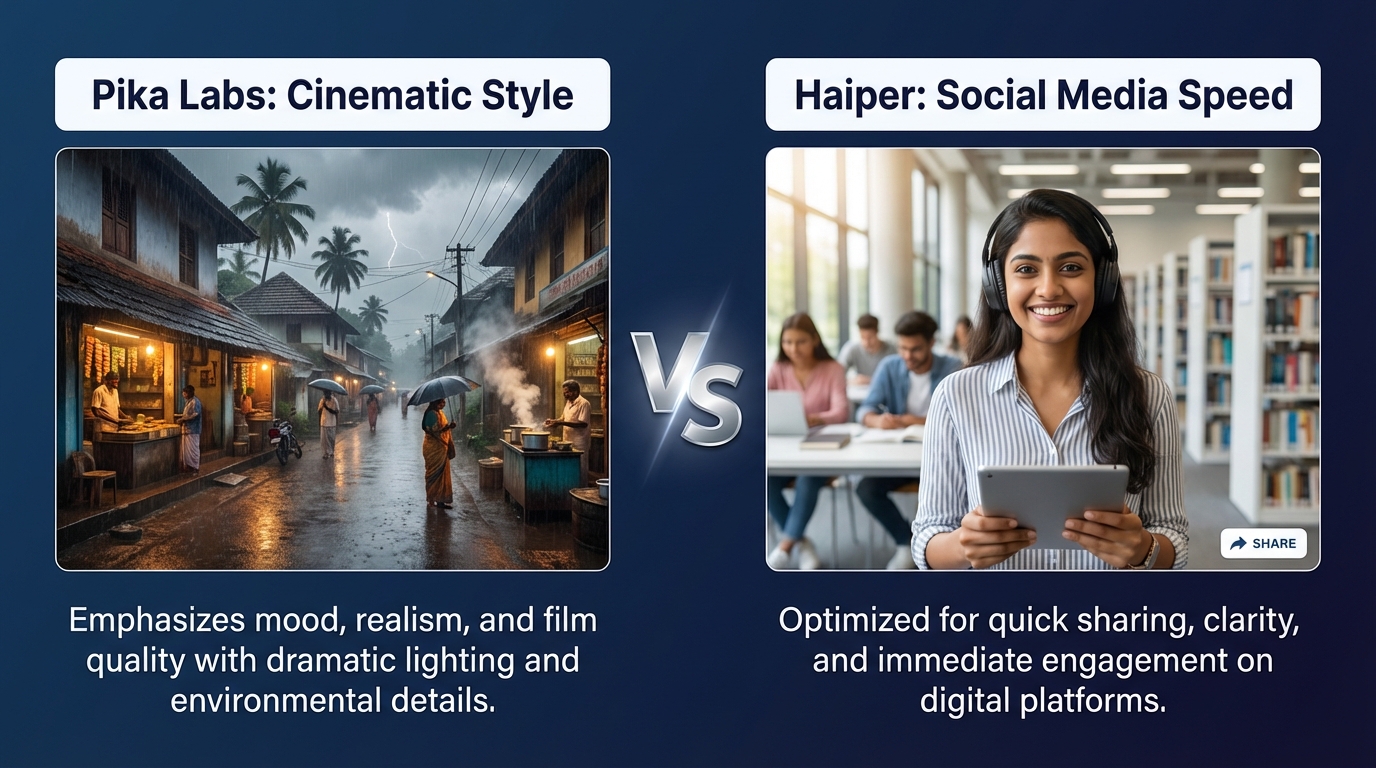
Pika Labs (now often referred to as Pika 2.0) remains the gold standard for cinematic stylization. For an Indian student making a "dark academia" themed vlog or a cinematic travel reel, Pika’s physics-based motion engine is unbeatable.
- Free Tier Limits: As of 2026, Pika offers a daily "top-up" of credits. While you can't stockpile them, it allows for roughly 5–10 high-quality 3-second clips per day.
- Watermark: A small "Pika" watermark appears in the bottom right.
- Key Feature: The "Lip Sync" feature (powered by ElevenLabs) has become a favorite for Indian creators making "talking head" memes or localized dubs.
- India Context: Pika handles complex lighting—like the golden hour in a rural Indian village—with incredible realism.
Haiper AI Free Video Generator Review
Haiper has positioned itself as the "fast and friendly" alternative. If Pika is for the filmmaker, Haiper is for the social media manager.
- User Experience: The UI is significantly cleaner than Pika’s Discord-heavy roots. It’s a web-first experience that works smoothly on mid-range smartphones.
- Free Tier Limits: Haiper uses a "points" system. In 2026, their free tier is slightly more restrictive than Pika’s but offers faster rendering times during peak Indian hours (7 PM – 11 PM IST). See the fastest AI video generator benchmark
- Quality: While slightly less "cinematic" than Pika, Haiper excels at clean, stable motion. It’s less likely to produce the "hallucination artifacts" (like extra limbs) that sometimes plague Pika’s more ambitious renders.
- Verdict: Choose Haiper if you need a quick 2-second clip of a "smiling student in a library" without fighting complex prompt parameters.
Source: Pika Official FAQ; Haiper AI Membership Guide
3. The Budget Contenders: Genmo AI and Leonardo Motion
Genmo AI Review India Free
Genmo is the "wildcard" of the group. It doesn't just do text-to-video; it specializes in "creative loops."
- Best Use Case: Creating abstract backgrounds for lyrics videos or looping textures for tech reviews.
- The "Genmo Chat" Advantage: In 2026, Genmo’s chat interface allows you to "edit" a video by talking to it (e.g., "make the sky more orange"). This is a huge time-saver for students who aren't prompt engineering experts.
- Limitation: The watermark is more prominent than Pika’s, and the free credits run out quickly if you're doing multiple iterations.
Compare deeper: Genmo vs Pika quality comparison
Leonardo Motion vs Pika Labs
Leonardo.ai, famous for its image generation, has integrated "Motion" into its core workflow.
- The Workflow: If you already use Leonardo to create "AI Avatars" or character art, the "Motion" tool is the easiest way to animate them.
- Quality: It offers a "Motion Strength" slider, giving you more control than Haiper. However, in a direct Leonardo Motion vs Pika Labs comparison, Pika still wins on temporal consistency (the video looks less like a "moving photo" and more like a "filmed clip").
- Free Access: Leonardo uses a shared token system. If you spend all your tokens on images, you can't make videos. This makes it a risky "primary" video tool for heavy users.
Source: Leonardo AI Video Help Center; Beebom Tested: Best AI Image-to-Video Generators 2026
4. The "No Watermark" Reality Check: Navigating 2026 Policies
Let's address the elephant in the room: everyone is searching for a free AI video generator unlimited with no watermark. In 2026, this is a myth. See: how to remove AI watermarks legally and invisible watermarking for video AI.
Why Watermarks Exist
AI companies face massive GPU costs. Watermarks serve as both a marketing tool and a deterrent for commercial misuse of free tiers. According to YouTube's 2026 Monetization Policy, watermarked AI content is generally eligible for monetization if the creator has added significant original value (editing, voiceover, narrative). However, "low-effort" mass-produced AI clips are being flagged and demonetized.
The Professional Alternative
When your project outgrows the "student project" phase and requires professional, watermark-free results, you need a different class of tool. Studio by TrueFan AI's 175+ language support and AI avatars provide a "walled garden" approach that ensures your content is compliant, high-definition, and ready for commercial use without the "AI-generated" stigma of a free-tier watermark. Explore real-time interactive AI avatars in India
How to "Hack" the Free Tiers Legally
- The "Crop" Method: Frame your prompts so the essential action is centered, allowing you to crop the 16:9 video into a 9:16 Short, effectively cutting out the corner watermark.
- The "Overlay" Method: Place your own brand logo or a caption bar over the watermark area in an editor like CapCut.
- The "Tool Rotation": Use Pika for your cinematic shots, Haiper for your simple transitions, and Genmo for your backgrounds. By spreading your usage, you never hit a hard "paywall" on a single day. See free AI video generator strategies
5. Free B-roll Generator AI India: Practical Recipes for 2026
To get the most out of a free AI video maker students India can access, you need to master the "Indian Context" prompt. Most AI models are trained on Western data; you have to be specific to get that "Desi" feel.
Prompt Recipe 1: The "Chai Stall" (Cinematic B-roll)
- Prompt: "Slow-motion close-up of steam rising from a cutting chai glass on a wooden bench, rainy Mumbai street in the background, bokeh lights, cinematic teal and orange grading, 4k, highly detailed."
- Best Tool: Pika Labs (for the steam physics).
Prompt Recipe 2: The "Hostel Study" (Relatable Content)
- Prompt: "A tired Indian student at a desk with a laptop and a stack of NCERT books, soft moonlight through a window, gentle camera pan, realistic textures, 9:16 aspect ratio."
- Best Tool: Haiper (for the stable camera pan).
Prompt Recipe 3: The "Tech Review" (Abstract Motion)
- Prompt: "Macro shot of a smartphone circuit board with glowing blue energy pulses, futuristic aesthetic, smooth tracking shot."
- Best Tool: Genmo AI (for the glowing effects).
Optimization for Indian Users
- Off-Peak Generation: Generate your videos before 6 PM IST. Once the "US East Coast" wakes up and the "India Prime Time" begins, queue times on free tiers can jump from 30 seconds to 10 minutes. Benchmark render speeds
- Low-Data Mode: Always use the "Preview" or "Fast" mode first. Don't waste your daily credits on a "High Quality" render until you are sure the motion is correct.
6. Pika Labs India Tutorial Hindi: Step-by-Step (Mini Guide)
For our Hindi-speaking creators, here is a quick guide to mastering Pika Labs in 2026.
- Account Setup: "Sabse pehle Pika.art par jaein aur apne Google account se login karein. Discord ki ab zaroorat nahi hai, web interface kaafi fast hai."
- Prompting: "Text-to-video box mein apna idea likhein. Agar aapko Indian look chahiye, toh 'Indian lighting' ya 'Desi aesthetic' zaroor add karein."
- Settings: "Video options mein jaakar 'Aspect Ratio' select karein. Shorts ke liye 9:16 aur YouTube videos ke liye 16:9 best hai."
- Motion Control: "Pika 2.0 mein 'Camera Control' ka option hota hai. 'Zoom in' ya 'Pan' select karke aap apne video ko professional look de sakte hain."
- Download: "Video generate hone ke baad, 'Download' button par click karein. Yaad rakhein, free version mein watermark hoga, jise aap editing ke waqt crop kar sakte hain."
Solutions like Studio by TrueFan AI demonstrate ROI through their ability to bypass this manual "prompt-and-pray" process, offering pre-built, high-fidelity avatars that speak perfect Hindi, Marathi, or Bengali with zero watermark issues for professional users.
7. FAQs: Everything Competitors Missed
Q1: Can I use free AI videos for my monetized YouTube Shorts channel in India?
Yes, but with a caveat. In 2026, YouTube requires you to check the "Altered Content" box in the upload flow. As long as you are adding your own voiceover or editing the clips into a larger story, watermarked AI clips from Pika or Haiper are generally safe. However, avoid "mass-uploading" raw AI clips, as this triggers "Reused Content" flags.
Q2: Which tool is best for low-bandwidth (Hostel Wi-Fi) users?
Haiper is currently the most "lightweight" web interface. It loads faster on 4G/5G mobile connections compared to the heavy asset-loading of Leonardo or the Discord-based legacy version of Pika.
Q3: Is there any way to get "Unlimited" credits for free?
No legitimate platform offers "unlimited" high-end video generation for free in 2026. Anyone claiming to offer a "cracked" version of Pika or Haiper is likely distributing malware. Stick to the official "daily top-up" systems.
Q4: How do I make the AI understand specific Indian festivals or clothing?
Use "Image-to-Video." Instead of just typing "Man in Kurta," upload a high-quality photo of a man in a Kurta (generated for free in Midjourney or Leonardo) and then use Pika or Haiper to animate it. This ensures the cultural details are 100% accurate.
Q5: What if I need a video longer than 4 seconds?
Most free tiers cap at 3–4 seconds. In 2026, the "Extend Video" feature is often a paid perk. To do this for free, you must generate "Part 1" and "Part 2" separately by using the last frame of the first video as the starting image for the second.
Q6: Are there any Indian-made alternatives to these global tools?
Yes, the ecosystem is growing. One mention must be within an FAQ answer: Platforms like Studio by TrueFan AI are specifically optimized for the Indian market, offering localized avatars and language support that global tools often struggle to replicate with the same level of nuance.
Conclusion: Which Tool Should You Choose?
The Pika Labs vs Haiper free comparison India 2026 doesn't have a single winner—it has a "best for you" winner.
- Choose Pika Labs if you are a "Cinematic Creator." If you care about lighting, physics, and that "movie-like" feel for your b-roll, Pika’s free daily credits are the best value in the market.
- Choose Haiper if you are a "Speed Creator." If you need to churn out 10 Reels a week and need a tool that is fast, stable, and easy to use on your phone, Haiper is your best bet.
- Choose Genmo if you are an "Experimental Creator" looking for loops and cool, trippy visuals.
For students and budget creators, the secret to success in 2026 is hybrid creation. Use these free tools to build your skills, but understand their limits. When you are ready to scale, move to professional platforms that offer the governance and quality your brand deserves.
Final Pro-Tip: Always keep an eye on the completely free text to video landscape, as new models like "Wan 2.5" or "Luma Mini" often launch with "free beta" periods that offer no watermarks for a limited time. Stay curious, keep prompting, and let AI turn your imagination into India’s next viral hit.
Sources & References:
- Beebom: Best AI Video Generators 2026
- Analytics India Magazine: The Rise of AI Video in South Asia
- YouTube Support: AI Content Disclosure Policy
- Pika Art Pricing & Terms
- Haiper AI FAQ
Recommended Internal Links
- Genmo AI Review India Free: Read the Genmo AI review for India
- Genmo vs Pika quality comparison: Deep-dive: Genmo vs Pika quality
- Leonardo Motion vs Pika Labs: Compare Leonardo Motion vs Pika Labs
- Free AI video generator unlimited: Strategies for “unlimited” free AI video
- How to remove AI watermark legally in India: Remove AI watermarks legally
- Invisible Watermark Video AI (protection and provenance): Invisible video watermarks explained
- Fastest AI video generator benchmark (render speed India 2026): Render speed benchmarks (India 2026)
- YouTube Shorts automation AI (workflows for Shorts): YouTube Shorts automation with AI
- Real-time Interactive AI Avatars India (enterprise avatars): Real-time interactive AI avatars (India)
Frequently Asked Questions
Which free text-to-video tool is best for students in India in 2026?
For students, Haiper is the quickest for short, stable 2–3s clips on mobile, while Pika Labs delivers more cinematic shots if you can spend credits carefully. Rotate tools to avoid hitting daily limits, and use preview modes to save data.
How do Pika Labs and Haiper differ for short-form clips?
Pika Labs biases toward dramatic lighting and physics-like motion but may hallucinate on complex prompts; Haiper prioritizes stability and speed with cleaner motion. Pick Pika for "cinematic b-roll" and Haiper for fast social-ready loops.
What are legal ways to handle watermarks on free AI videos?
Use cropping to change aspect ratios or overlay brand elements in editing to cover marks. Monetization is typically fine on YouTube if you add significant original value. For watermark-free delivery, use Studio by TrueFan AI.
How can I speed up free-tier renders in India?
Render off-peak (before 6 PM IST), use preview/fast modes first, and avoid heavy prompts with long camera moves. Haiper often renders faster during India prime time. See the render speed benchmark.
Can I make videos longer than 4 seconds for free?
Most free tiers cap duration. Chain segments by seeding Part 2 with the last frame of Part 1, then stitch in an editor. True "extend" features are usually paid.



