
AI photo to video converter India 2026: The complete guide for weddings, family memories, and event automation
Estimated reading time: ~13 minutes
Key Takeaways
- 2026 AI converters turn photo libraries into cinematic, beat-synced stories using computer vision, NLP, and generative audio.
- India-first workflows optimize for weddings, festivals, memorials, and multilingual narration across regional accents.
- Studios scale output with batch processing, APIs, white-label delivery, and compliance (ISO 27001, SOC 2).
- Privacy and consent are core: consent logs, secure processing, and invisible watermarking protect families and brands.
- Step-by-step workflow covers ingestion, templates, licensed music, AI narration, QC, and multi-format exports.
The visual landscape of India has undergone a seismic shift. As we navigate 2026, the demand for high-quality, cinematic video content has moved from a luxury to a baseline expectation. Whether you are a professional photographer managing a high-stakes wedding season or a family member looking to preserve the magic of a 50th anniversary, an AI photo to video converter India 2026 is no longer just a tool—it is an essential partner in storytelling.
In a market where the Indian wedding industry is now valued at a staggering $130 billion, the pressure to deliver "Instagram-ready" reels and 4K cinematic highlights within hours of an event is immense. Traditional editing workflows, which often took weeks, are being replaced by intelligent automation. Platforms like Studio by TrueFan AI enable creators to bridge this gap, transforming static image galleries into dynamic, beat-synced narratives that resonate across regional languages and cultural nuances.
This guide explores the evolution of photo-to-video technology, the specific needs of the Indian market in 2026, and how enterprise-grade automation is redefining ROI for studios across the subcontinent.
1. What is an AI photo-to-video converter (India, 2026) and how it works
In 2026, an AI photo-to-video converter is far more than a simple "slideshow maker." It is a sophisticated engine that uses computer vision, natural language processing (NLP), and generative audio to synthesize a cohesive narrative from disparate assets.
The Core Mechanics of 2026 AI Video Generation
Unlike the basic transitions of the past, modern AI converters analyze the content of your photos. They don't just move from Image A to Image B; they understand that Image A is a "Haldi ceremony" and Image B is a "Groom’s entrance."
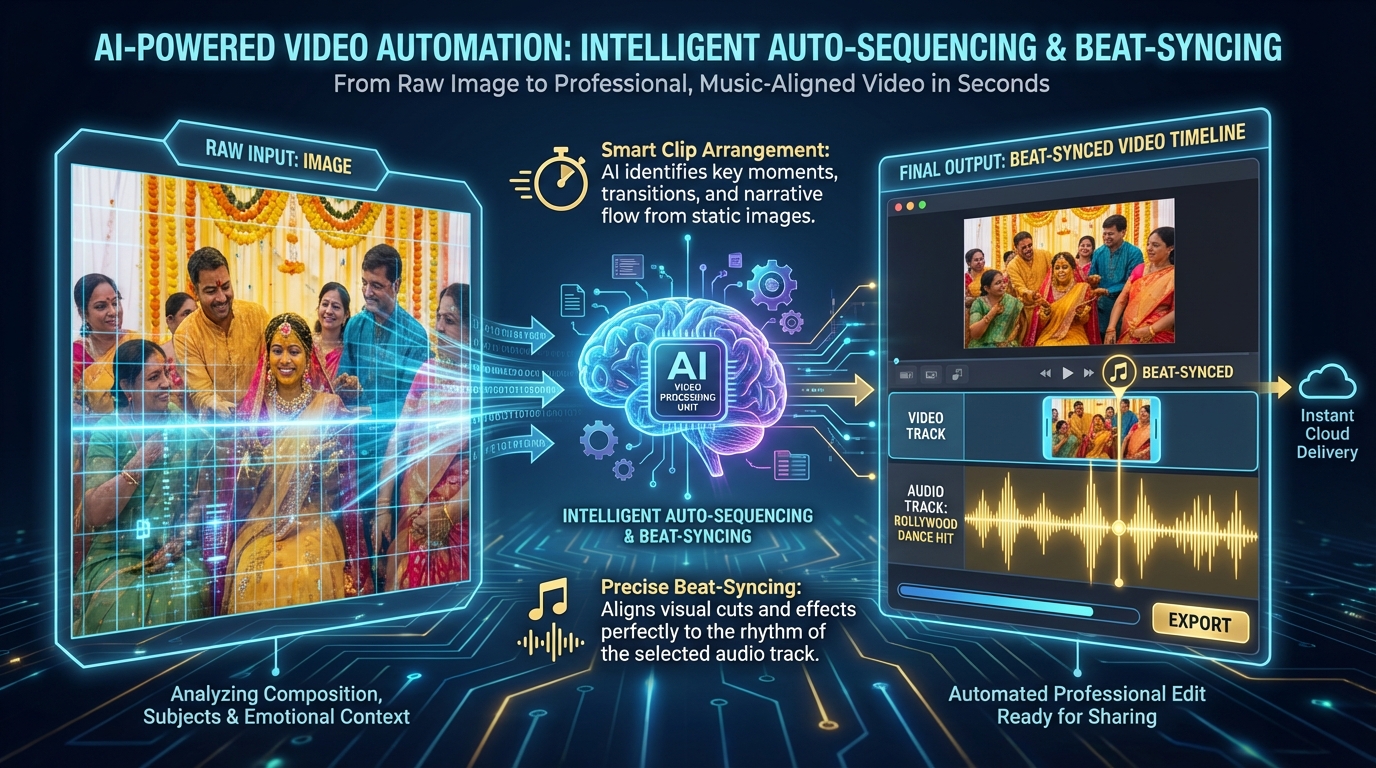
- Intelligent Auto-Sequencing: By analyzing EXIF metadata and using facial recognition, these tools automatically group photos by ritual, location, and importance. They can identify the "hero shots" (the bride, the cake cutting, the trophy lift) and ensure they receive more screen time and more dramatic transitions.
- Beat-Synced Music Integration: AI now detects the BPM (beats per minute) of any track—from traditional Dhol-Taasha to modern Bollywood hits—and aligns every transition, zoom, and pan to the rhythm. This creates a professional "music video" feel without manual keyframing.
- AI Narration and Lip-Sync: A major breakthrough in 2026 is the ability to add a digital host or a voiceover that sounds indistinguishable from a human. Studio by TrueFan AI's 175+ language support and AI avatars allow creators to add personalized intros in Hindi, Tamil, Telugu, or Bengali, making the video feel deeply personal to the family.
- Cinematic Motion (The 2026 "Ken Burns" Effect): Advanced algorithms now apply 3D parallax effects to 2D photos, giving them depth and a sense of "living" motion that mimics a high-end camera slider.
Why 2026 is the "Year of Personalization"
According to recent industry data, the global wedding photography market is projected to reach $26.92 billion in 2026, driven largely by the demand for personalized, AI-enhanced storytelling. In India, where destination weddings are growing at a 14.9% CAGR, the need for tools that can handle massive volumes of data while maintaining a "boutique" feel is paramount.
Source: Fortune Business Insights - Wedding Photography Market 2026
2. India-first use cases and storytelling structures
The Indian market has unique storytelling requirements that global, one-size-fits-all tools often miss. From the vibrant colors of a Sangeet to the somber dignity of a memorial service, the AI must adapt its "emotional intelligence."
The "Big Fat Indian Wedding" Workflow
A typical Indian wedding photo-to-video workflow generates 5,000+ photos. An AI photo to video converter India 2026 must follow a specific narrative arc:
- The Build-up: Pre-wedding shots with soft, romantic LUTs (Look-Up Tables).
- The Rituals: High-energy transitions for Haldi and Mehendi, using warm yellow and orange color grading.
- The Grandeur: Sangeet highlights with neon-inspired filters and fast-paced beat-syncing.
- The Sacred: Pheras and Nikah sequences with slow cross-dissolves and traditional instrumental backgrounds.
- The Finale: Reception highlights and a "Thank You" slate for WhatsApp sharing.
Milestone Birthdays (1st, 18th, 50th, 75th)
For birthdays, the AI focuses on a "Growth Timeline." It can automatically age-sort photos from childhood to the present, creating a nostalgic journey. In 2026, many Indian families are using AI to generate "wishes" from relatives who couldn't attend, using AI avatars to read out messages in their native tongue. Explore ideas in this birthday and event video guide.
Memorials and Tributes (A Content Gap Filled)
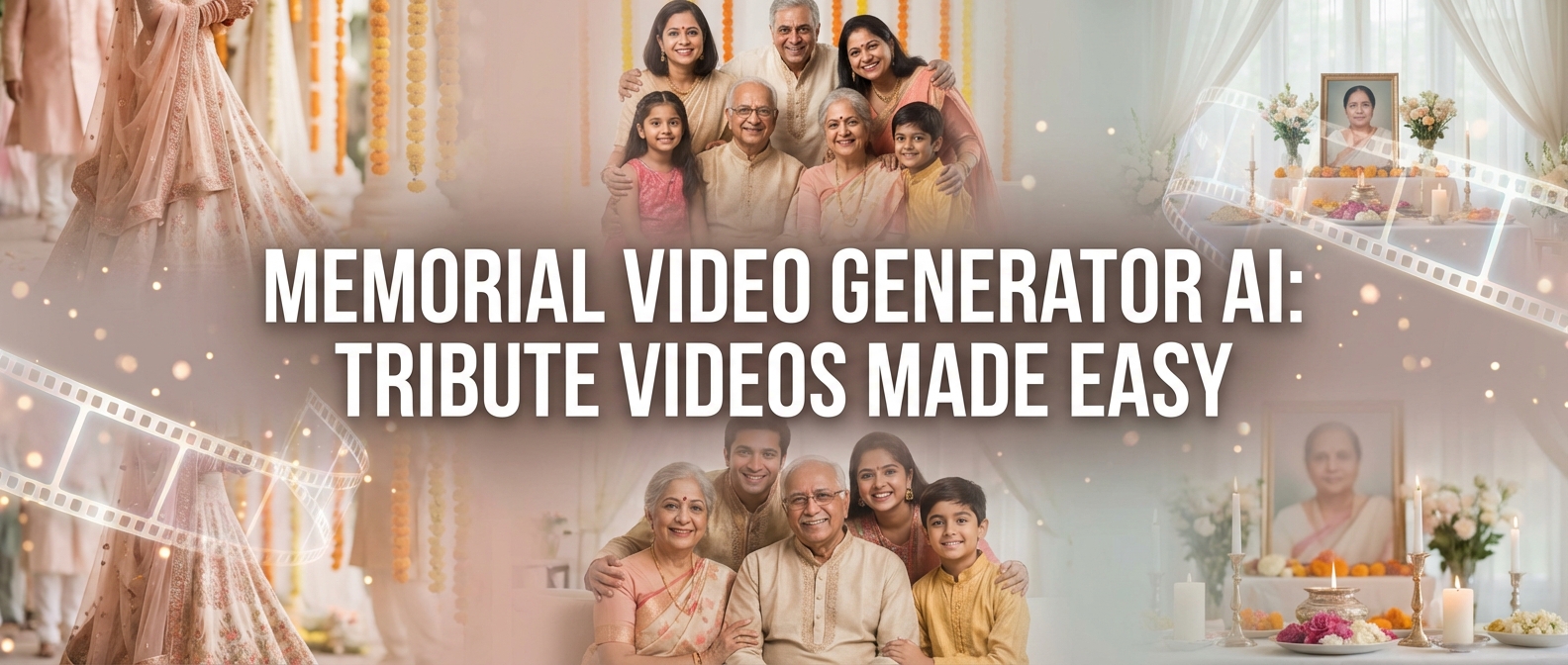
Often overlooked by mainstream apps, memorial video best practices are a significant use case in India. AI tools now offer "Memorial Monochrome" templates that handle sensitive content with dignity. These tools include content moderation to ensure that no inappropriate or distressing images are accidentally included, and they use soft, respectful pacing (60–80 BPM) to honor the departed.
Festivals and Family Retrospectives
With the rise of "Digital India," families now curate yearly "Year in Review" videos for Diwali or Eid. The AI can pull photos from a shared Google Drive or WhatsApp group, identify the best family portraits, and create a 90-second Reel that is ready for the family group chat within minutes.
3. Enterprise workflows for studios and event companies
For professional studios, an AI photo to video converter is not just a creative tool—it is a production powerhouse. In 2026, the ROI of video has reached new heights, with 93% of marketers reporting that video content delivers the highest ROI of any format.
Source: HubSpot State of Marketing Report 2026
Automation at Scale
Large-scale event companies often handle 10–20 weddings in a single weekend. Manual editing is impossible at this volume. Enterprise-grade solutions offer:
- Batch Processing: Upload 20 different folders for 20 different clients. The AI applies the respective "Brand Kit" (logos, fonts, intros) and renders all 20 videos simultaneously.
- White-Label Delivery: Studios can deliver these videos through their own branded portals, hiding the AI "engine" behind their professional storefront.
- API Integration: Connect the AI converter directly to a CRM or a photo-sharing app like Gallerify or Pixieset. As soon as the photographer uploads photos, the AI starts generating a "Highlights Reel" preview for the client.
Compliance and Data Privacy
In 2026, data privacy is a major concern for Indian families. Professional tools must adhere to ISO 27001 and SOC 2 standards. This ensures that private family photos are not used to train public AI models and are stored in secure, encrypted environments. Solutions like Studio by TrueFan AI demonstrate ROI through these robust security postures, allowing studios to pitch "Secure AI" as a premium service to high-net-worth clients.
Regional Localization
India is a land of many languages. A studio in Chennai needs a different "vibe" and language support than one in Ludhiana. Modern AI tools allow for:
- Voice Cloning: With consent, the studio can clone a professional voice artist's voice to narrate all their videos, maintaining a consistent "brand voice" across thousands of deliverables.
- Regional Accents: AI narration now supports specific Indian accents, ensuring that a Marathi voiceover sounds authentic to a Mumbai-based family.
4. Step-by-step how-to: Create a cinematic slideshow in minutes
Creating a professional-grade video from photos has been simplified into a seven-step process that anyone can master.
Step 1: Intelligent Ingestion
Upload your photos (ideally 50–150 for a 3-minute video). Use a tool that supports bulk upload from Google Drive or Dropbox. The AI will automatically flag low-resolution or blurry images for removal.
Step 2: Template Selection
Choose a template that matches the event's "Vibe."
- Wedding: "Royal Rajputana" or "Modern Minimalist."
- Corporate: "Clean Tech" or "Dynamic Industry."
- Family: "Nostalgic Film" or "Vibrant Celebration."
Step 3: Music and Beat-Sync
Select a track from a licensed library. In 2026, copyright strikes on Instagram and YouTube are aggressive. Ensure your tool provides licensed music. Toggle the "Beat-Sync" feature to ensure the photos "dance" to the music.
Step 4: Add AI Narration
Type a short script (e.g., "A journey of 25 years, two hearts, and a thousand memories"). Select your language and voice cloning for Indian accents. For a wedding, a "Warm and Emotional" tone works best; for a birthday, "Upbeat and Energetic." Learn about voice emotion control.
Step 5: Fine-Tuning and Transitions
While the AI does the heavy lifting, you should manually "pin" 5–10 hero shots to ensure they appear during the chorus of the song. Adjust transition lengths—0.5s for fast sections and 1.2s for emotional highlights.
Step 6: Quality Control (QC)
Run the AI's built-in QC check. It will look for:
- Duplicate frames.
- Awkward facial crops (ensuring heads aren't cut off in 9:16 vertical mode).
- Audio clipping.
Step 7: Multi-Format Export
Render your video in three essential formats:
- 9:16 (Vertical): For Instagram Reels (best practices for Reels) and YouTube Shorts (1080x1920).
- 16:9 (Widescreen): For LED walls at the event or TV viewing (4K).
- WhatsApp Optimized: A compressed 720p version under 64MB for WhatsApp sharing guidance.
5. Tool landscape snapshot (India 2026) and buyer checklist
The market is flooded with options, but they generally fall into two categories: Creator-focused apps and Enterprise-grade platforms.
The Creator Tier (Best for Personal Use)
Tools like Canva, Filmora, and CapCut remain popular for individuals. They offer excellent templates and ease of use. However, they often lack the deep regional language support and the batch-processing power required by professionals. They are perfect for a quick "Happy Birthday" status but may struggle with a 20-minute wedding documentary.
The Enterprise Tier (Best for Studios & Agencies)
For those running a business, the requirements are stricter. You need a platform that offers:
- API Access: To automate the workflow.
- Custom Avatars: To create a unique brand presence. Learn about real-time interactive AI avatars.
- High-Tier Security: ISO 27001 and SOC 2 compliance.
- 4K Rendering: For large-screen displays at venues.
2026 Buyer’s Checklist
When selecting an AI photo to video converter India 2026, ensure it checks these boxes:
- Does it support Indian regional languages? (Hindi, Tamil, Telugu, etc.) See AI voice cloning for Indian accents.
- Is the music library licensed for Indian social media?
- Does it offer 9:16 vertical exports?
- Can it handle 100+ photos in a single project without crashing?
- Does it provide a "Consent Management" tool for family photos?
Research Insight: Brands in the APAC region are increasingly prioritizing "Localization" as a key performance metric, with 70% of top-performing videos in 2026 featuring regional language elements.
Source: Think with Google - APAC Consumer Trends 2026
6. Data privacy, consent, and rights in the AI era
As we move further into 2026, the ethical use of AI is a cornerstone of the Indian tech ecosystem. When you use an AI photo-to-video converter, you are handling sensitive personal data—the faces of children, elders, and private family moments.
The "Consent-First" Model
Professional platforms now incorporate "Consent Logs." Before an AI can clone a voice or use an avatar to narrate a family story, the system requires a digital sign-off. This protects the studio from legal liability and builds trust with the client.
Safe-by-Design Features
Modern AI tools include "Walled Garden" governance. This means your photos are processed in a private cloud environment and are never leaked into the public domain. For memorial videos or sensitive family retrospectives, this level of security is non-negotiable.
Watermarking and Traceability
To prevent the misuse of AI-generated content, 2026 standards require "Invisible Watermarking." This embeds metadata into the video file that proves it was created by a legitimate studio using authorized tools, helping to combat the spread of deepfakes and unauthorized content.
Conclusion: The Future of Indian Memories
The transition from static photo albums to dynamic AI-generated videos is not just a trend; it is the new standard for how India remembers its most precious moments. By 2026, the "AI photo to video converter India" has become the bridge between the thousands of photos sitting on our phones and the cinematic stories we want to share with the world.
For the individual creator, these tools offer a way to turn a weekend trip or a child’s birthday into a professional-looking movie in minutes. For the professional studio, they offer a path to scale, allowing them to deliver more value to more clients without increasing their headcount.
As you choose your tool, remember that the best technology is the one that disappears into the background, leaving only the emotion of the story behind. Whether it's the high-energy beat of a Sangeet or the quiet nostalgia of a 50th-anniversary tribute, AI is here to ensure that no memory is left behind in a forgotten folder.
Summary of Key 2026 Statistics
- Indian Wedding Industry Value: $130 Billion.
- Global Wedding Photography Market (2026): $26.92 Billion.
- Destination Wedding Growth (CAGR): 14.9%.
- Video Content ROI: 93% of marketers rank it #1.
- AI Personalization Adoption: 70% of APAC brands.
Recommended Export Presets for 2026
- Instagram Reels: 1080x1920 | H.264 | 8 Mbps.
- WhatsApp Shareable: 720p | H.264 | 4 Mbps (Target <64MB).
- Event LED Wall: 4K (3840x2160) | ProRes or H.265 | 30 Mbps.
Sources:
Frequently Asked Questions
What is the best AI photo to video converter India 2026 for wedding photographers?
The "best" tool depends on your volume. For individual creators, mobile-first apps are great. However, for studios needing 4K output, batch processing, and regional language narration, enterprise platforms are the standard. Studio by TrueFan AI is a frequent choice for studios because it offers a "Canva-like" ease of use combined with professional-grade compliance and 175+ language support.
Can I make a slideshow video maker AI free India version without watermarks?
Most free tiers in 2026 include a watermark to cover the high cost of GPU rendering. To get a watermark-free, 4K export, you typically need a "Starter" or "Growth" subscription. However, free versions are excellent for testing templates and syncing music before committing to a paid plan.
How does the AI handle "old" or "damaged" family photos?
Many 2026 converters include a "Restoration" pre-processor. When you upload a grainy photo from the 1980s, the AI automatically sharpens the image, reduces noise, and can even colorize black-and-white photos before placing them into the video timeline.
Is it legal to use Bollywood music in my AI-generated slideshows?
Only if the platform has a licensing agreement with labels like T-Series or Zee Music. Using unlicensed music can lead to your video being muted or taken down on Instagram and YouTube. Always check the "Music Library" section of your AI tool for licensing clarity.
How long does it take to render a 5-minute 4K wedding highlight?
In 2026, thanks to cloud-agnostic GPU backends, a 5-minute 4K video typically renders in under 10 minutes. Lower-resolution versions for WhatsApp (720p) are often ready in less than 60 seconds.
Can I use AI to create a memorial video for a funeral in India?
Yes. Modern tools have specific "Memorial" templates that use respectful pacing, monochrome filters, and soft transitions. They also include content moderation to ensure the AI doesn't apply "party" effects or upbeat music to somber photos.



