
AI video generator complete workflow India 2026
Estimated reading time: ~10 minutes
Key Takeaways
- Build a ₹1500/month Free-First stack to cover scripting, editing, captions, and publishing without heavy subscriptions.
- Follow a repeatable text-to-video workflow (hook, value, CTA) to produce videos in under 30 minutes.
- Use light automation and asset OS to scale output to 5–10 videos daily while maintaining quality.
- Adapt content to platform playbooks for YouTube Shorts, Instagram Reels, and WhatsApp Channels.
- When scaling or working with brands, upgrade to Studio by TrueFan AI for licensed avatars, compliance, and bulk rendering.
The AI video generator complete workflow India 2026 has transformed from a futuristic concept into a daily necessity for creators looking to dominate the digital landscape. In 2026, the Indian creator economy is no longer just about viral hits; it is about systematic, high-volume output that maintains quality while keeping costs low. Whether you are a student, a freelancer, or a micro-entrepreneur, mastering an AI video generator complete workflow India 2026 allows you to publish 5–10 high-quality videos daily without burning out or breaking the bank.
With over 650 million short-form video users in India as of early 2026, the competition for attention is fierce. Recent data shows that short-form video ads now deliver 1.6 times higher ROI compared to traditional formats, and nearly 40% of all social media uploads in India are now AI-assisted. This guide provides the definitive blueprint for building a repeatable, end-to-end production line that costs under ₹1500 per month, while showing you exactly when and how to scale using enterprise-grade tools.
1. The ₹1500/Month Creator Stack: Budget & Toolkit
Building a professional-grade video setup in India doesn't require a massive studio budget. In 2026, the "Free-First" stack is more powerful than ever, allowing you to handle everything from ideation to distribution for the price of a few cups of coffee.
The Core Budget Stack
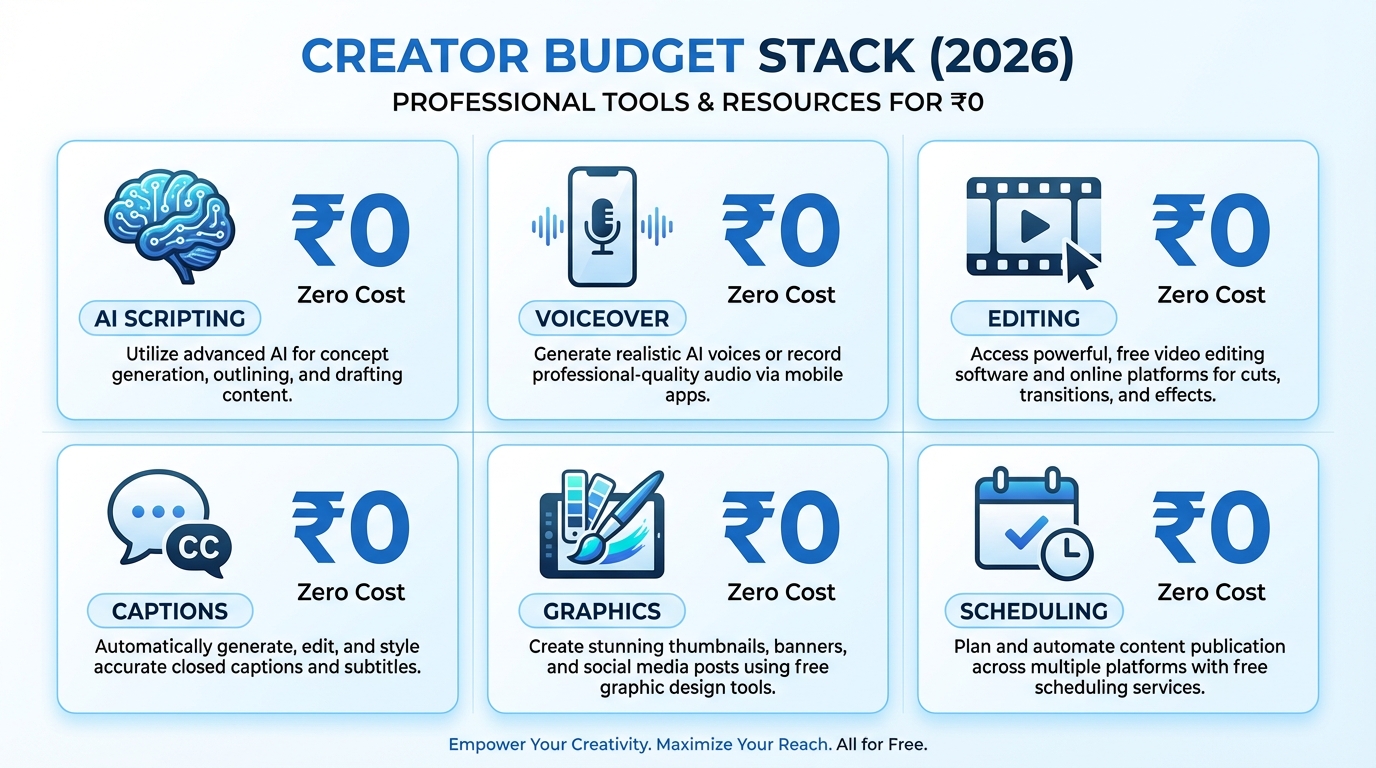
To stay under the ₹1500/month threshold, your toolkit should prioritize high-utility free tiers and local processing:
- Scripting & Ideation: Gemini or Microsoft Copilot (Free) — ₹0.
- Voiceover & Audio: Your smartphone microphone or free text-to-speech tiers — ₹0.
- Editing & Visuals: CapCut Desktop or DaVinci Resolve (Free version) — ₹0.
- Captions & Transcription: OpenAI Whisper (Local installation) — ₹0.
- Thumbnails & Graphics: Canva Free — ₹0.
- Scheduling & Publishing: Meta Business Suite, YouTube Studio, and WhatsApp Channels — ₹0.
- Buffer for Assets: ₹500/month for mobile data top-ups or occasional stock music licenses.
Why This Stack Works in 2026
This setup leverages the "Local First" movement. By running tools like Whisper locally on your laptop, you bypass expensive API costs. According to recent industry reports, agencies using this hybrid AI approach have seen a 72% reduction in production costs over the last two years. See this guide on AI video tools for 4GB RAM.
However, as your channel grows, manual stitching becomes a bottleneck. Platforms like Studio by TrueFan AI enable creators to transition from this manual "DIY" phase into a streamlined, avatar-led production house. While the free stack is perfect for starting, the enterprise-grade backbone provided by TrueFan AI becomes essential for those managing multiple brand accounts or requiring 100% licensed content safety.
Sources:
2. Text-to-Video AI Workflow Tutorial: Step-by-Step for Beginners
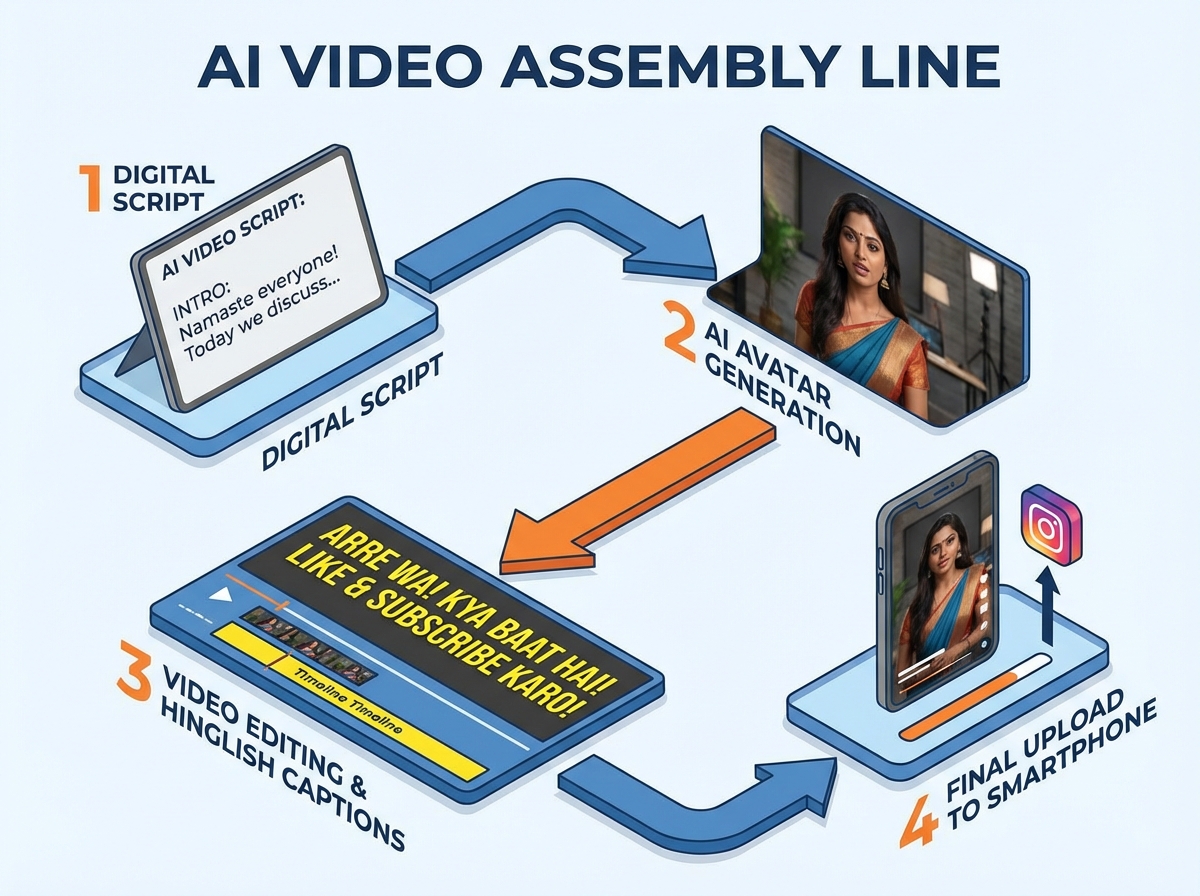
Executing a text-to-video AI workflow tutorial free step by step requires a disciplined approach to "The Assembly Line" method. Follow these six steps to move from a blank page to a published video in under 30 minutes. Read the full text-to-video workflow tutorial.
Step 1: Script Generation (The Hook-First Method)
In 2026, the first 3 seconds of your video determine its survival. Use the following prompt structure in Gemini or Copilot: "Write a 60-second Hinglish script for a YouTube Short about [Topic]. Structure: 0-3s: Aggressive hook addressing [Pain Point]. 4-45s: 3 quick tips with on-screen text cues. 46-60s: CTA to join my WhatsApp Channel for the PDF guide." For more, see the Hinglish AI video generator guide.
Step 2: The Spokesperson Path
You have two choices here:
- The Budget Path: Record your own voice and use B-roll loops or stock footage. Use a consistent "Brand Frame" (a specific border or logo placement) to build recognition.
- The Professional Path: Use an AI avatar. Studio by TrueFan AI's 175+ language support and AI avatars allow you to generate a photorealistic spokesperson who speaks perfect Hindi, Tamil, or Bengali, ensuring your content resonates across India’s diverse linguistic landscape.
Step 3: Localized Captions with Whisper
Don't rely on platform-generated captions; they often fail with Hinglish slang.
- Install OpenAI Whisper locally.
- Run the command to generate an .srt file from your audio.
- Import the .srt into CapCut.
- Style: Use "Sentence Case," bold yellow text with a black stroke, and ensure no more than 44 characters per line for readability on mobile screens.
Step 4: High-Speed Editing
Use a "Master Template" in CapCut. Your template should already have your background music (set to -18 LUFS), your logo bug, and your "End Card" with a QR code for your WhatsApp Channel. Simply drop in your new footage and captions, and you're done. Explore this YouTube Shorts editor for Android in India.
Sources:
3. Scaling to 5-10 Videos Daily: Automation & Asset Management
To hit a daily video automation workflow AI India target of 10 uploads, you must stop "creating" and start "processing." This requires a shift in how you manage your digital assets.
The Asset OS (Operating System)
Organize your cloud storage into a numbered system to prevent file-hunting fatigue:
- 0_Scripts_Queue: A Google Sheet where you batch-write 50 scripts every Sunday.
- 1_Raw_Renders: Where your avatar or VO files live.
- 2_Stock_Library: A curated folder of 9:16 background loops.
- 3_Final_Exports: Ready-to-publish MP4s.
Light Automation for Creators
You don't need to be a coder to automate. Use the free tier of Zapier or Make.com to connect your workflow. Learn more in this guide on YouTube Shorts automation with AI.
- Trigger: A new row is added to your "Approved Scripts" Google Sheet.
- Action: Send a notification to your WhatsApp with the script text.
- Action: Create a new folder in Google Drive named after the script title.
By batching your work, you can spend 90 minutes on "Scripting Day" and 2 hours on "Editing Day," producing enough content for the entire week. This AI video creation pipeline 5 videos daily is the only way to stay relevant in an algorithm that rewards consistency over sporadic "perfection."
4. Channel-Specific Playbooks: Reels, Shorts, and WhatsApp Channels
A text-to-video AI pipeline Reels Shorts WhatsApp is not a "one size fits all" strategy. Each platform requires a specific "vibe" and technical specification.
YouTube Shorts: The Search Engine
- Length: 58–60 seconds.
- SEO: Use the primary keyword in the first 100 characters of the description.
- Engagement: Pin a comment with a link to your lead magnet.
Instagram Reels: The Community Hub
- Length: 15–30 seconds (faster is better for Reels in 2026).
- Audio: Use trending audio at 5% volume behind your AI voiceover to "piggyback" on the algorithm.
- Visuals: Use the "Collab" feature with your second account to double your reach.
WhatsApp Channels: The Conversion King
In 2026, WhatsApp Channels have become the most valuable real estate for Indian creators. Engagement rates on Channels are 300% higher than on Instagram. Learn tactics for video optimization on low bandwidth.
- Strategy: Post a "Raw" 15-second variant of your video.
- CTA: Use the "Promoted Channels" feature to drive new subscribers.
- Monetization: This is where you sell your courses, services, or affiliate products directly to your most loyal fans.
Sources:
5. Enterprise Backbone: Scaling with Studio by TrueFan AI
While the free DIY path is excellent for testing the waters, professional creators and agencies eventually hit a "Quality Ceiling." This is where an AI spokesperson video production system under 1500 (DIY) transitions into an enterprise-grade operation.
Why Upgrade to a Professional Backbone?
Solutions like Studio by TrueFan AI demonstrate ROI through massive time savings and brand safety. When you are representing a brand, you cannot risk using "scraped" or unauthorized AI voices and faces.
Key Enterprise Advantages:
- Licensed Influencer Avatars: Use digital twins of real Indian influencers like Gunika or Aryan, ensuring your content looks professional and human, not "uncanny valley" CGI.
- Compliance & Security: With ISO 27001 and SOC 2 certification, your data and your clients' data are protected—a non-negotiable requirement for corporate contracts in 2026.
- API & Webhook Integration: For agencies, this means you can connect a client's CRM directly to the video generator. Imagine a new customer signs up, and they automatically receive a personalized video message from an AI avatar on WhatsApp.
- Bulk Rendering: Generate 100 localized variants of a single ad in minutes, supporting 175+ languages with perfect lip-sync.
By moving your custom AI avatars workflow automation free setup into a professional environment, you eliminate the manual "stitching" of B-roll and VO, allowing the AI to handle the heavy lifting of visual synthesis.
6. India 2026 Governance: Compliance, Safety, and MeitY Rules
The Indian government has introduced strict guidelines for synthetic media in 2026. Ignoring these can lead to channel bans or legal repercussions.
The MeitY 2026 Framework
Under the updated IT Rules, all AI-generated content must follow these three pillars:
- Mandatory Labeling: Every video containing synthetic faces or voices must have a clear, non-obstructive watermark or text disclosure (e.g., "Generated with AI").
- 3-Hour Takedown: Platforms are now required to act on "deepfake" complaints within 3 hours. As a creator, you must ensure you have the rights to the likenesses you use.
- Consent-First Model: You cannot use the likeness of any individual without explicit, documented consent. This is why using licensed platforms is safer than using "open-source" face-swapping tools.
Ethical Content Creation
Avoid "grey area" content such as political endorsements or medical advice using AI avatars. Stick to educational, entertainment, and marketing niches. By maintaining a "Rights Sheet"—a simple document listing your music licenses and avatar permissions—you protect your business from future copyright strikes.
Sources:
7. FAQs & Performance Optimization
Explore the complete answers in the Frequently Asked Questions section at the end of this article for tips on budget control, captions, aspect ratios, no-code automation, and ROI tracking.
Conclusion
Mastering the AI video generator complete workflow India 2026 is the most significant competitive advantage a creator can have today. By combining a low-cost, high-efficiency "DIY" stack with the strategic power of enterprise tools like TrueFan AI, you can build a content empire that is scalable, compliant, and highly profitable. Start with the ₹1500 stack, perfect your "Hook-Value-CTA" formula, and when you're ready to dominate the market, move to a professional backbone that does the work for you.
Frequently Asked Questions
How do I stay under ₹1500/month?
Focus on the "Free-First" stack outlined above. Use local tools like Whisper for captions and the free version of CapCut for editing. Your only real costs should be high-speed internet and occasional stock assets. As you scale, reinvest earnings into a professional tier when required.
Will Hindi/Hinglish captions work well?
Yes—provided you use a high-quality transcription model. OpenAI’s Whisper (the medium or large model) is a strong choice for Indian accents and Hinglish code-switching. Always review the .srt for slang and brand names.
What is the best aspect ratio for 2026?
For Shorts, Reels, and WhatsApp, 9:16 (1080x1920) is mandatory. Keep text and key visuals within the center 70% safe zone to avoid UI overlays such as like buttons and descriptions.
How do I automate without coding?
Use no-code tools such as Zapier or Make. A simple flow is Google Sheets (script) → Webhook → Video generator. For secure enterprise scaling, Studio by TrueFan AI is ISO 27001 and SOC 2 compliant, ensuring your workflows and IP remain protected.
How do I track my ROI?
Look beyond views. Track Hook Retention Rate (viewers past 3 seconds) and CTA Conversion Rate (clicks, WhatsApp joins, leads). Use an enterprise video analytics platform to attribute conversions across platforms.



